
At a glance
Expert’s Rating
Pros
- 5120 x 2160 ultrawide screen
- Accurate color
- Apple-sensitive styling
- Built-in USB hub
Cons
- Lower pixel density than standard screen
Our Verdict
With its ultrawide display and greatly increased resolution and resulting pixel density, the good-looking and flexible 40-inch 5K2K Alogic Edge creates a more ergonomic alternative to having two monitors side by side, but with a similarly convenient working screen space.
Price When Reviewed
This value will show the geolocated pricing text for product undefined
Best Pricing Today
Best Prices Today: Alogic Edge 5K 40-inch Ultrawide Monitor

When I reviewed the first iteration of the Alogic Edge 40-inch Ultrawide Monitor I noted that it had the potential to replace a two-monitor desktop setup with its enormous dimensions, but that the QHD’s display pixel density was stretched to such an extent that some would find the crispness of text lacking.
I was therefore delighted to test this latest version of the Alogic Edge Ultrawide Monitor that offers a “5K resolution” compared to the original 40-inch Edge’s QHD. Later, we’ll look at whether this monitor’s resolution is true 5K or something known as 5K2K, but first we should look at the monitor’s physical attributes. Then we’ll get into the details of resolution talk.
- Who the Alogic Edge Ultrawide Monitor is for: Mac productivity users, spreadsheets, timelines, multitaskers
- Who the Alogic Edge Ultrawide Monitor isn’t for: Pixel-perfection designers, gamers chasing high refresh rates
Apple-friendly design
The new 5K Edge boasts the same fine design as the QHD Edge, which is available in both 40-inch and 34-inch models.
First, 40 inches is a lot of monitor. If your desk is a narrow one, you might want to reconsider an ultrawide monitor, but this near-meter-long screen will certainly not waste any space. The stand’s base measures 17.6 inches (45cm) wide— about as wide as a full-size Apple keyboard.
It measures between an adjustable 22.4 inches (57cm) to 27.3 inches (69.5cm) tall, 37 inches (94.1cm) wide, and 9.6 inches (24.5cm) deep. Without the stand—you can attach the monitor to an arm via a 100×100 VESA mount—it measures 37 x 16.5 x 1.6 inches (94 x 42 x 4cm). It weighs 25.6lbs (11.6kg) with stand.
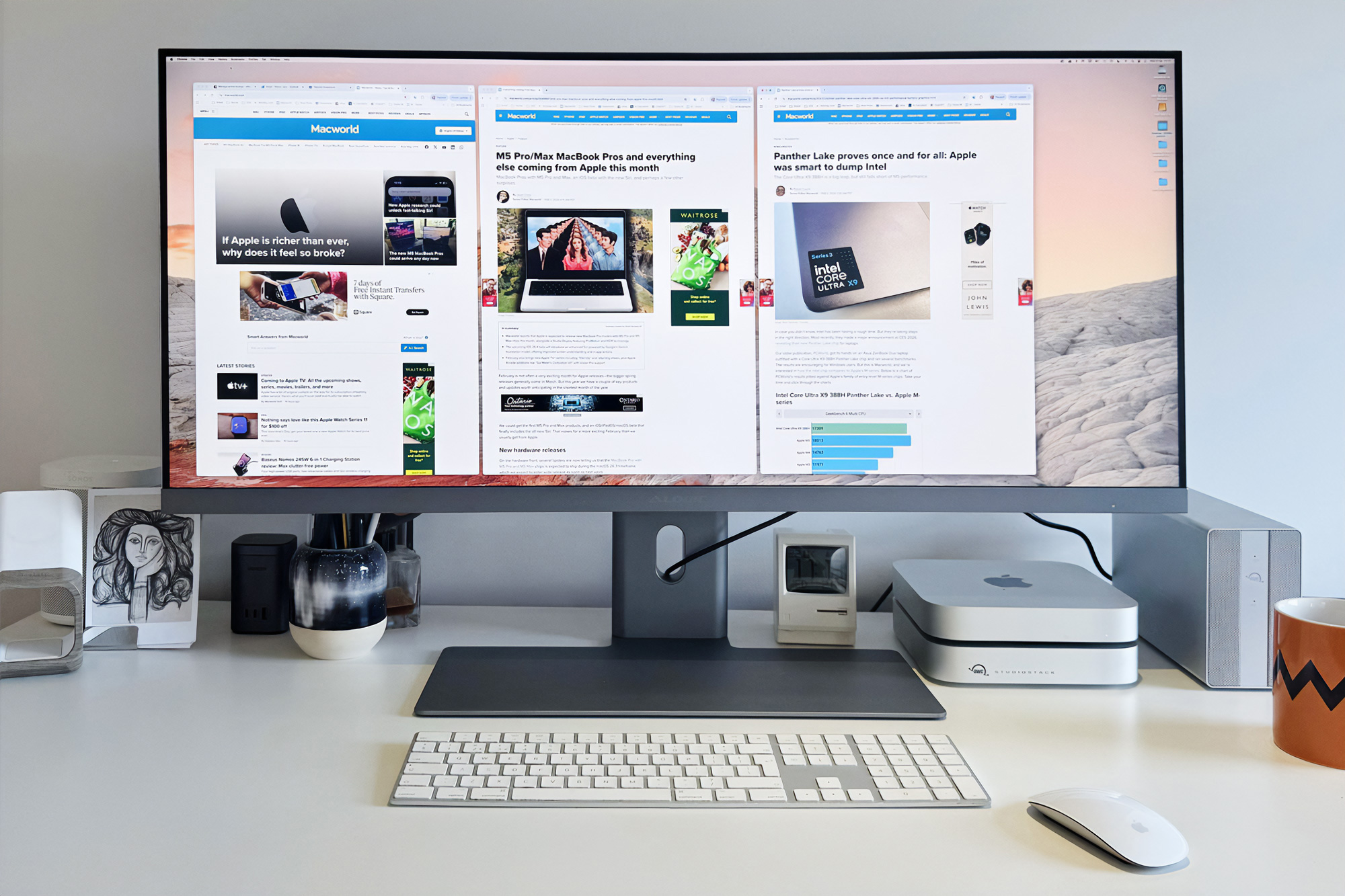
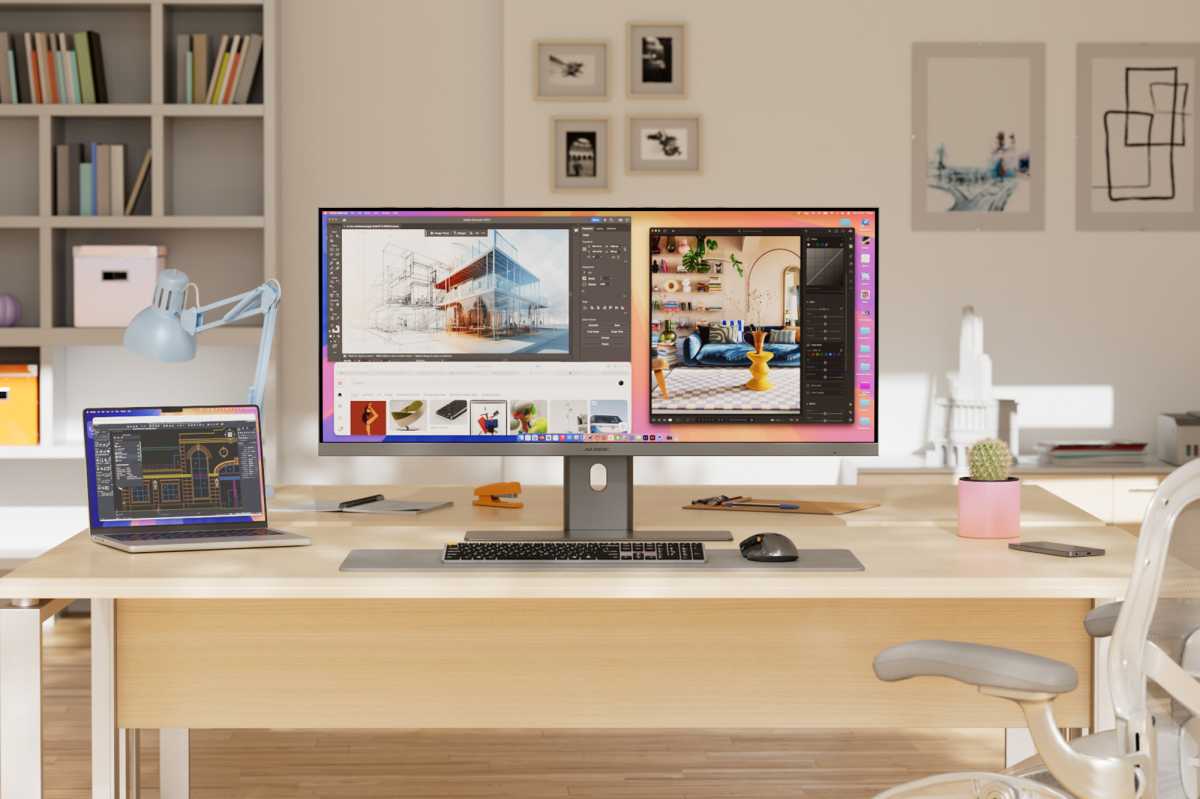
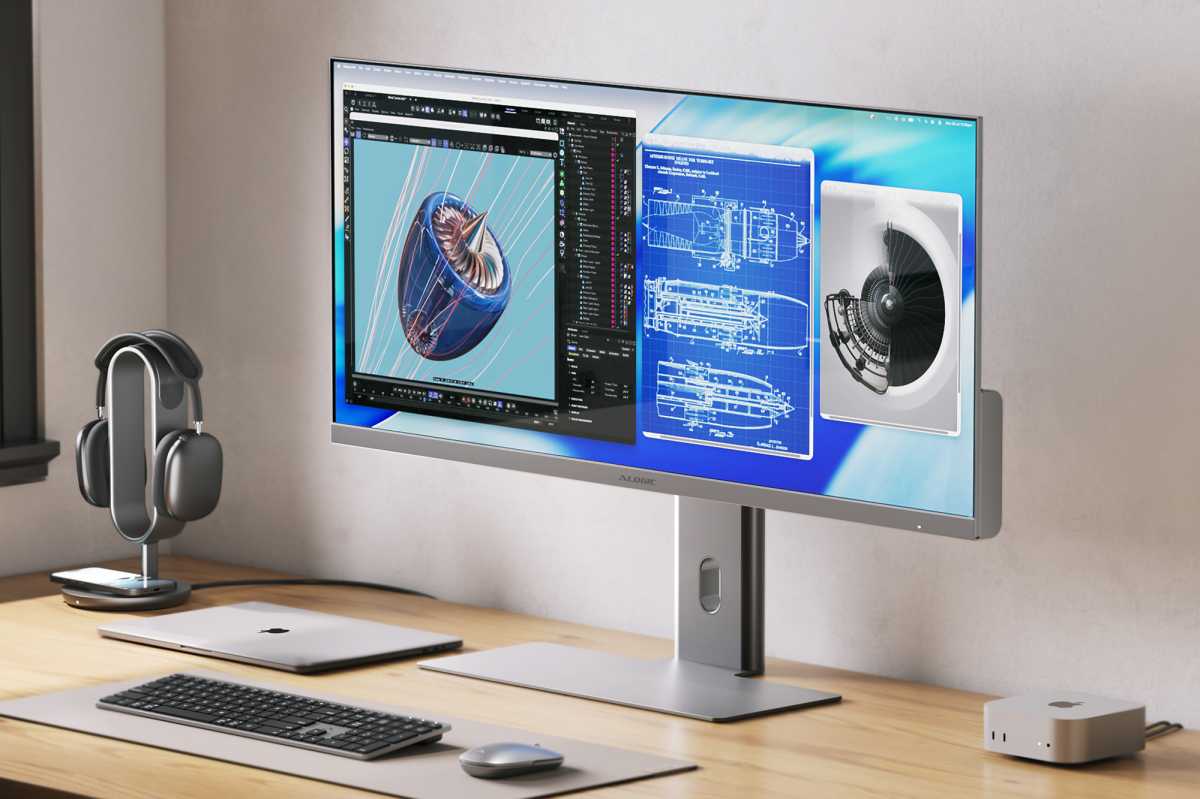
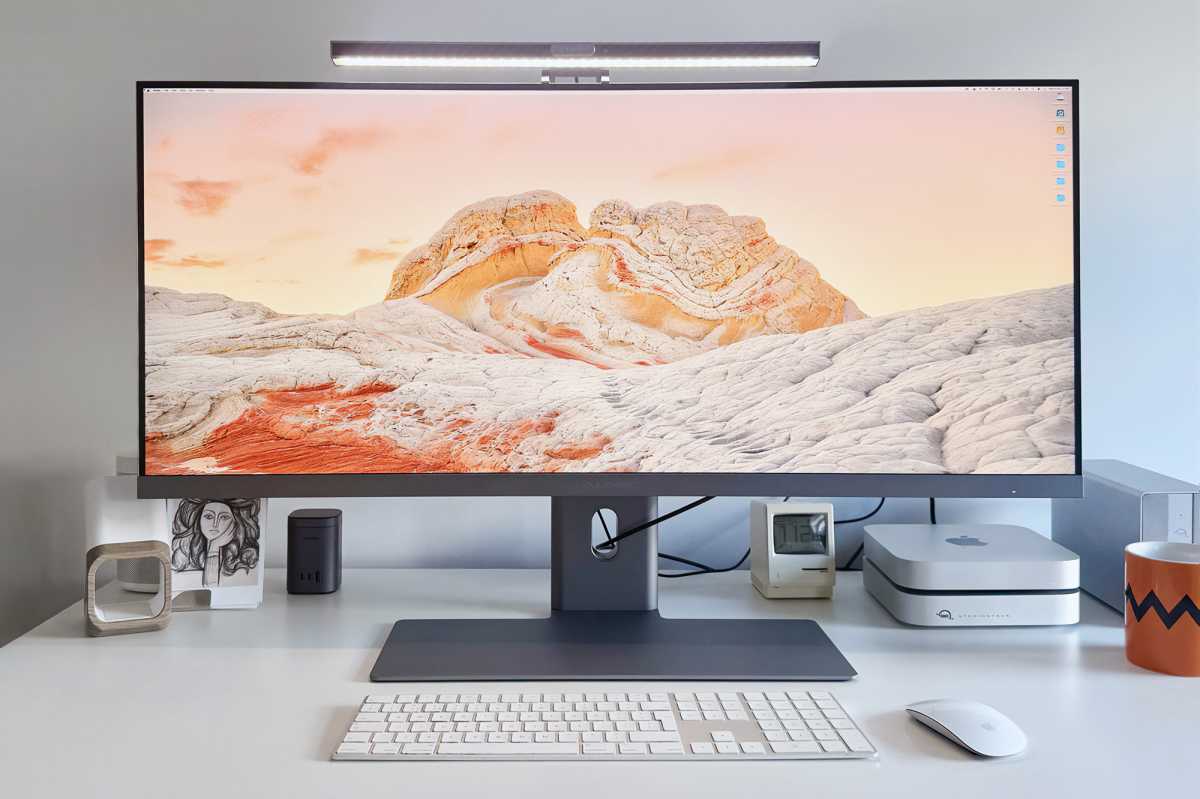
The Edge continues Alogic’s pedigree of fantastic looking monitors. It matches Apple’s aesthetic and so looks great looming over a Mac Studio or Mac mini, or next to one of Apple’s MacBooks.
Although its price of $1,299 looks expensive, compare that to the $1,599 of Apple’s 27-inch 5K Studio Display. The Studio Display price rises to $1,999 when you add the Tilt and Height Adjustable stand to match Alogic’s super stand.
Alogic
It is available in either Silver or Space Gray to match your Mac. The Edge’s frame at its top is fine at just 8mm thin—about the same width an iPhone.
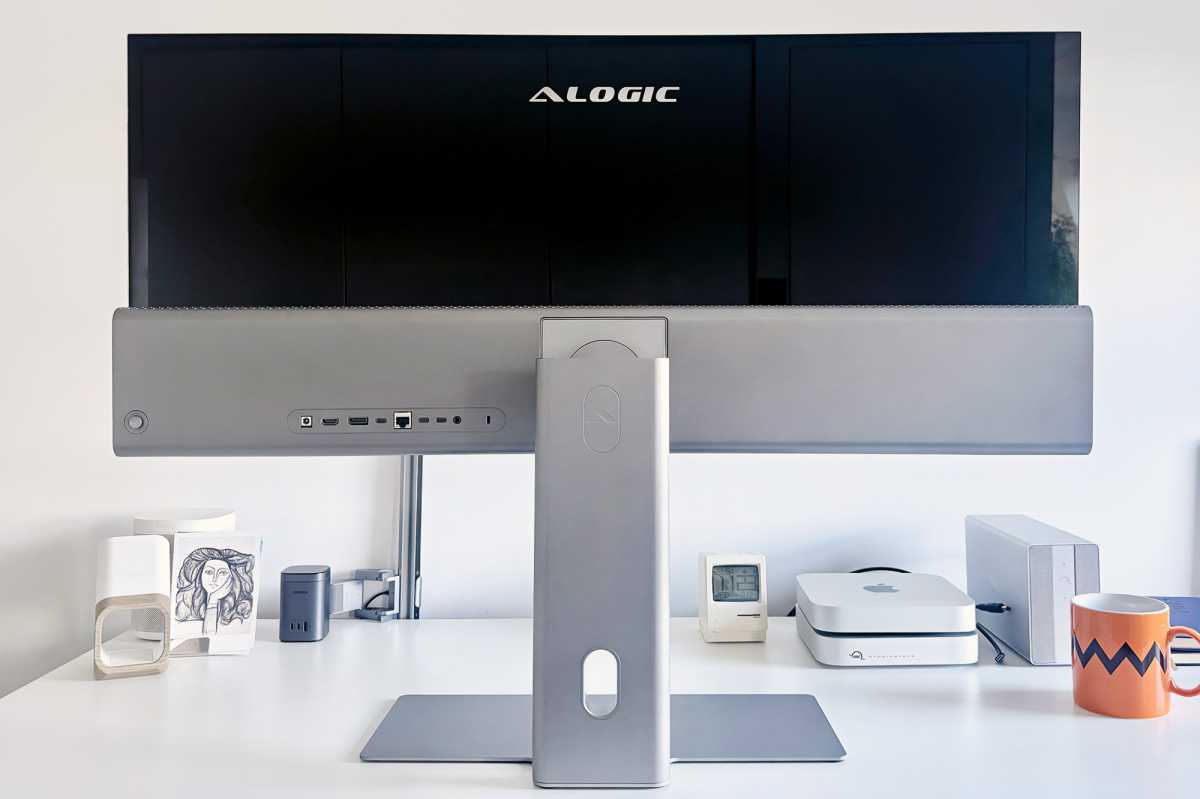
Steve Jobs once joked that the back of Apple’s products looked better than the competition, and you could say the same about Alogic’s. The back of the screen’s tempered glass looks great, too, although it’s more than likely facing a wall.
Simon Jary
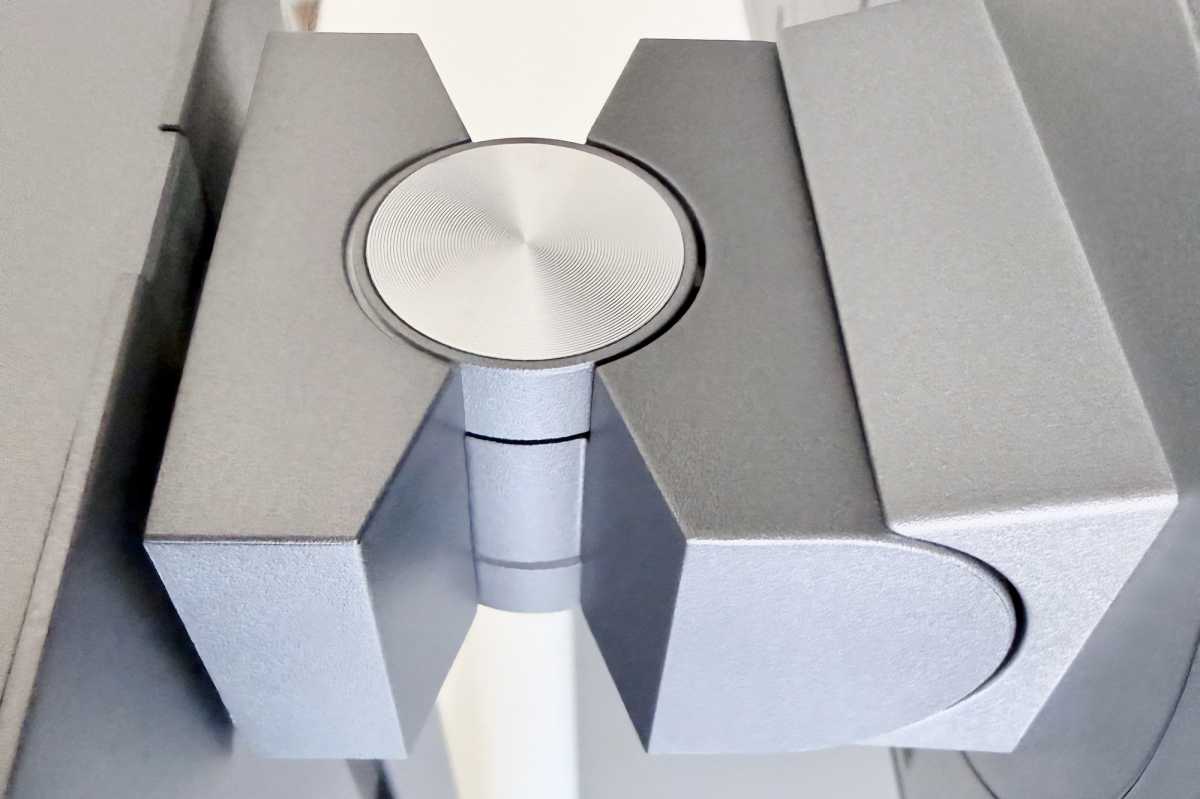
Setting up the monitor is simple, but you’ll need some strength—the robust machined aluminum stand’s base weighs 9.3lbs (4.2kg) to bear the ultrawide screen with no wobble. The machined aluminum stand design is a two-piece that you’ll quickly put together with a single thumb screw connecting the stem and base, which then clicks into the rear of the display.
Simon Jary
Can one 40-inch ultrawide really replace two monitors?
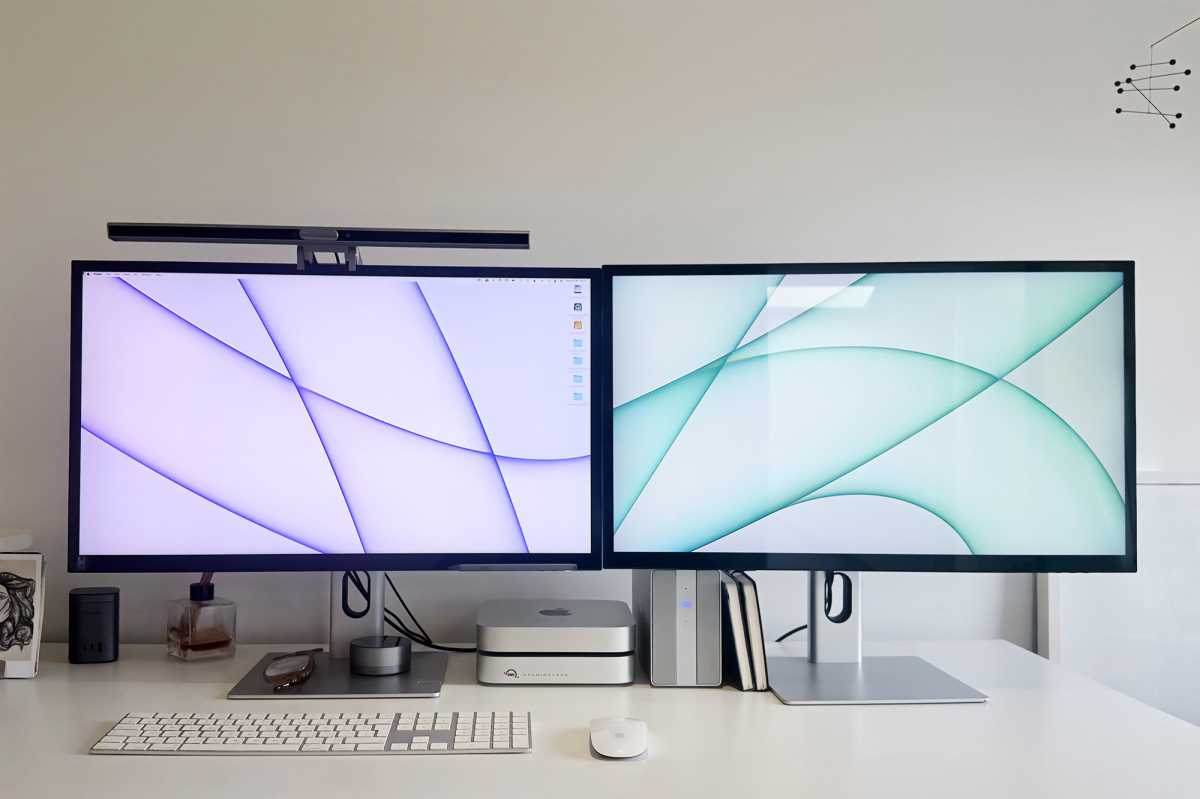
A wide screen might well mean you don’t need a dual screen setup, which would be wider still and take up even more desk space: two 27-inch screens side by side add up to a combined width of 4.1 feet (1.25m).
Standard monitors, like Alogic’s own 27-inch Clarity displays, have an aspect ratio of 16:9. The ultrawide Edge has an aspect ratio of 21:9, so is much longer horizontally. That extra width is perfect for keeping lots of things onscreen in the same view and not layered under each other. Normally, you’d need a couple of monitors side by side to achieve this, and you should weigh up the pros and cons of a single monitor versus two side by side.
It’s true that a two-screen setup offers some benefits that you don’t get with a single wide screen. You can sit straight in front of your main screen and angle the second to your left or right as your preference.

Simon Jary
But with one wide display, there’s less painful neck swivelling, and everything is on one screen and not rudely cut between the two at the center—although side-by-side monitors provide something of a natural separation if you are managing multiple applications.
The single workspace makes for a smoother workflow, but the pixel density on each of the separate displays is likely to be better than with one ultrawide screen. I think the pixel density on this 5K2K model of Edge is enough for productivity tasks, which there is more of a question about with the 40-inch QHD model.
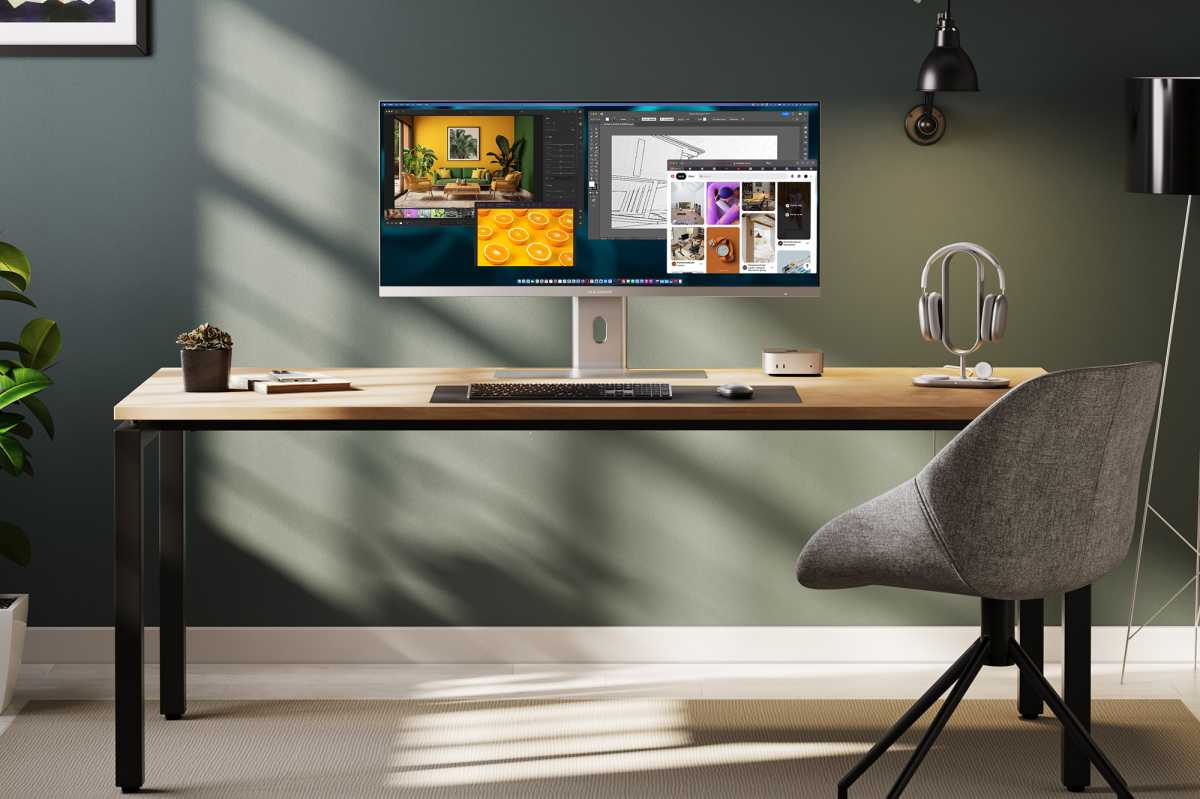
Adding more screen space can enhance your productivity by having multiple applications, documents or websites open side by side and therefore more accessible. This could be a boon for content creators when editing, planning and reviewing a lot of content. Having such a wide screen helps with editing timelines with previews and tools above it.
With more screen space it’s easier to switch between tasks without cluttering your screen or desk-based workspace. There’s enough room to split apps into three sections or four quads, for example.
With one ultrawide screen there is less of an issue with matching specs, meaning you avoid potential color, brightness, and display quality discrepancies if the two monitors have different specifications. This simplifies the management of display settings compared to a dual monitor setup. Ultrawide monitors also offer the advantage of viewing movies in full size without letterboxing.
Two monitors don’t just swallow up physical desk space, they require multiple video connections—often meaning you need to use a MacBook docking station.
You can recreate the breadth of two side by side monitors with a single-cable, neater and more ergonomic widescreen display.
Many ultrawide monitors, often aimed at gamers, are curved. A flat 40-inch ultrawide display is more appropriate to productivity jockeys. It’s probably not for graphics users who demand the very crispest detail, but the ultrawide aspect ratio makes it ideal for multitasking and working comfortably with multiple windows open in one view.
Simon Jary
Its stand remains one of the best we’ve tested, offering both tilt and height adjustment: 10 degrees Up/Down, and 45 degrees Left/Right. You have to do that adjustment only once with a single display.
Is this really 5K – and does the difference matter
One of the downsides of an ultrawide screen can be its pixel density. It’s something all ultra widescreen monitors must be judged on. The 40-inch QHD (3440×1440 or 4,953,600 pixels) Edge has a pixel density of 94 pixels per inch (ppi), which some declared not crisp enough when displaying text. With its 5120×2160 or 11,059,200 pixels, it has an extra 6,105,600 pixels to play with. As a result of that 123% increase, it’s pixel density is a significantly crisper 139ppi.
That’s still not as super-sharp as the 27-inch Alogic Clairty 4K’s 163ppi or the 5K Apple Studio Display’s 218ppi, but it’s a noticeable improvement on the lesser-pixelled QHD model and is even higher than the 110ppi of the 34-inch widescreen Edge. If you are upgrading from an HD screen, you’ll be pleasantly surprised as that type of screen has a pixel density of just 82ppi. For an ultrawide screen, the 139ppi is noticeably superior to that of displays with lower resolutions. My graphic designer wife turned her nose up at the QHD Edge but was delighted by the 5K model.
The new 40-inch Edge has what is known as a “5K2K” resolution: that’s 5120×2160 pixels (approximately 5K pixels by 2K pixels), which is fewer compared to a standard 5K’s 5120x 2880 pixels. That’s down to the ultrawide aspect of the monitor: 21:9 compared to a standard 16:9 aspect ratio.
This monitor has a horizontal resolution of 5K (5120 pixels) but the vertical resolution of 4K (2160 pixels). Some call it “4K Ultrawide” but that’s confusing as there’s no 4K anywhere near the number of pixels. 5K2K is the best that resolution geeks have got to calling it, although WUHD (Wide Ultra High Definition) is also used to describe a 5120×2160 display.
The ultrawide screen favors the longest Excel sheets—you can keep so much data in view without endless scrolling back and forth. The 40-inch width allowed me to fit almost four A4-wide Word docs side by side. The full 5120×2160-pixel resolution does, however, make the text too small to use without a magnifying glass. I found a 3840×1620 resolution easier on the eye.
Alogic
Screen features
The screen uses In-Plane Switching (IPS) technology that can deliver great color accuracy when being viewed from different angles with minimal diminishment of image quality.
Here are the all-important technical screen specifications.
- Maximum Resolution: 5120×2160 pixels (5K2K)
- Refresh Rate: 60Hz or 100Hz
- Response Time: 14ms
- Pixel Density: 139ppi
- Aspect Ratio: 21:9
- Viewing Angle: 178°(H) / 178°(V)
- Brightness: 400 nits
- Contrast Ratio: 1200:1
- Color Saturation (DCI-P3): 99%
- Color Saturation (sRGB): 100%
- Color Saturation (Adobe RGB): 94%
- Color Saturation (NTSC): 89%
While the 100Hz refresh rate is superior to the standard 60Hz seen with 4K displays, gamers will demand higher and should look towards dedicated gaming displays, such as the curved 120Hz 40-inch LG UltraFine 5K2K WUHD Nano IPS Black Monitor, although that has a higher MSRP of $1,799 / £1,399.
Alogic claims that its Edge 5K is “the first 5K2K designed for Apple users”, which I guess adds a level of subjectivity as to what “for Apple users” means. The LG UltraFine is a similar 5K2K Monitor that is compatible with macOS, but we have read some online complaints that it isn’t a perfect match with the Apple operating system. I haven’t tested the LG monitor so can’t compare it here. I do have several years’ experience working with Alogic displays and haven’t had any problems with my Mac mini and MacBook setups.
The LG is similar in screen specs, aside from its higher refresh rate. Gamers will prefer its curved format, which makes for a more immersive experience and better peripheral coverage with fewer distractions. However, curved screens may introduce some image distortion with straight lines (hello, Excel) appearing curved. They are also tricky to wall mount, which is not a problem with the Edge.
Hub and connections
That ultrawide resolution matches the working comfort that I get from my usual two 27-inch display setup, but I need only one connection from my Mac mini to the single monitor’s hub.
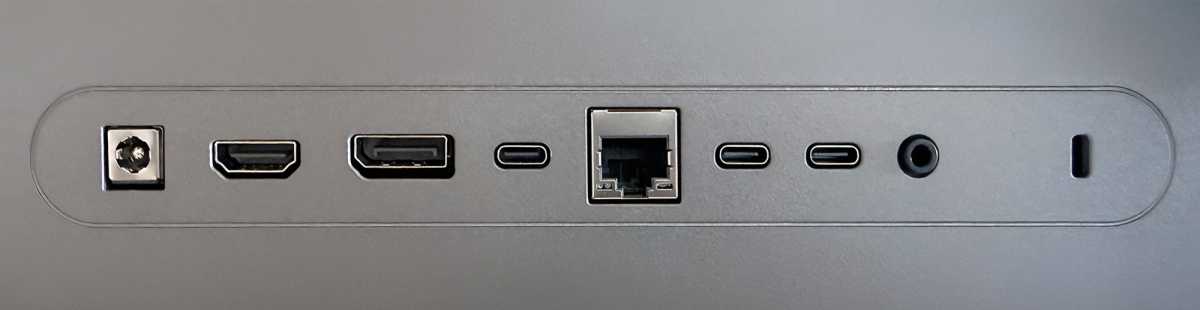
Compared to the Clarity monitor’s onboard hub, the Edge’s hub port configuration drops USB-A and USB-B (always a strange one anyway) as options and one HDMI for a DisplayPort option. Gigabit Ethernet and an audio port remain.
Simon Jary
Hub specs
- 1x USB-C to Host Connection with 90W Charging and Data
- 1x HDMI 2.0 port
- 1x DisplayPort 1.4 port
- 2x USB-C ports (USB 2.0, 5W Charging)
- 1x 3.5mm Audio Output
- 1x Gigabit Ethernet port
You may well use one of the spare USB-C ports to connect a webcam, as the Edge lacks its own. The two spare USB-C ports are primarily for light charging purposes as the data-transfer speed is USB 2.0’s measly 480Mbps rather than the USB-C to host connection’s 5Gbps speed. They are fine for connecting a wired keyboard and mouse or giving power to low-input devices such as your Apple Watch or AirPods. This is not a Thunderbolt dock replacement.
Simon Jary
Alogic recommends its own $189 / £119 Illuminate USB-C Light Bar Webcam that includes a light you can dim and adjust color temperature. This works well, although I can never remember how to turn the thing off and there’s no obvious button to do so. Also, the Edge doesn’t pull as low as smaller monitors so you’ll need to seriously angle the webcam to fit in the picture. In its defence, the Illuminate is easy to angle, but I’d have preferred the Edge to go a little lower. It also comes with a neat magnetic wireless light dial.
The 5Gbps USB-C connection to host is underpowered compared to the Mac’s own 40-80Gbps Thunderbolt 4 or 5 so if you need multiple fast ports you should invest in a premium dock or more affordable hub. See Macworld’s recommended best Mac docking stations and best Mac USB-C hubs.
The similar LG Monitor mentioned earlier features a much beefier 80Gbps Thunderbolt 5 connection plus four 10Gbps USB-C ports. It lacks a power brick, which is a plus in some ways but a major minus in another: there are some user complaints that the built-in power supply means a noisy fan. In comparison, the Alogic Edge is silence itself.
Importantly, the Edge’s hub is powerful enough for the key video connection, and you can choose between USB-C, HDMI or DisplayPort. Edge doesn’t require the extra bandwidth DisplayPort can offer over HDMI, so users can connect with either cable knowing they’re getting the full visual experience. There are no advantages to using HDMI or DisplayPort instead of USB-C. Mac users could use one of the other connections if they’re already using the USB-C ports on their computer or want to connect multiple host devices to the monitor.
The Edge doesn’t support monitor daisy chaining, where you can run a second display from the hub’s ports. To be honest, the 40-inch Edge is all the monitor you probably need but it is a feature found on some other displays. It’s likely that even if it could connect another display from the 5Gbps Edge that second one would only mirror rather than extend the screen.
Using USB-C means you can passthrough power your laptop by up to 90W, which is enough for most MacBooks, and take advantage of the ports in the hub at the back of the Edge display, such as the wired Gigabit Ethernet connection.
The Edge includes built-in 3W speakers that are fine for video/voice calls but not what you’d enjoy using to listen to music or a movie. There’s a 3.5mm audio port that can be used to attach wired headphones or speakers, but not an audio-in microphone.
Alogic
Price
The 40-inch 5K2K Edge is priced at $1,499.99 / £1,299.99. Compared to buying two displays, this is an affordable price for the huge amount of screen real estate on offer.
For more options we have reviewed the best Mac monitors in various sizes and forms. There’s no way you could describe the Edge as portable, but we’ve reviewed the best Mac portable displays if you want to pack up or pick up your monitor.
At $1,799.99, the similar LG 40-inch Ultrafine is a noticeable jump up in price but does boast a higher refresh rate and superior hub of ports. Again, we haven’t tested that model, and its curvature may put off non-gamers.
If a webcam is important to you (and who doesn’t use one at least occasionally?) the $189.99 Illuminate Light Bar adds (significantly) to the cost although you can pick a more affordable option from any of the best Mac webcams we recommend.
Should you buy the Alogic Edge Ultrawide 5K Monitor?
With its ultrawide display and greatly increased resolution and resulting pixel density, the good-looking and flexible 40-inch 5K2K Alogic Edge creates a more ergonomic alternative to having two monitors side by side, but with a similarly convenient working screen space. This ultrawide monitor is a credible, Mac-friendly replacement for two monitors.