At a glance
Expert’s Rating
Pros
- Friendly interface, good performance
- Clear feedback when manual cleanup is required
- Safe and reliable app removal
Cons
- Updater misses some major applications
- Applications module is ineffective
- Short free trial
Our Verdict
Nektony App Cleaner and Uninstaller shows real progress in 2026, with a much-improved Remaining Files module that safely removes leftover files and a cleaner, more reliable uninstall experience overall. But it falls short of dedicated update tools, making it best suited for users focused on cleanup rather than comprehensive update management.
Price When Reviewed
This value will show the geolocated pricing text for product undefined
Best Pricing Today
Nektony’s App Cleaner & Uninstaller is the company’s general cleanup utility and the core of Nektony’s larger MacCleaner suite (reviewed here: MacCleaner Pro review). I looked at it a year ago (April 2025) and since then Nektony has focused its efforts on refining the Remaining Files and Updater modules, with mixed – but notable – results, so I have updated this review accordingly.
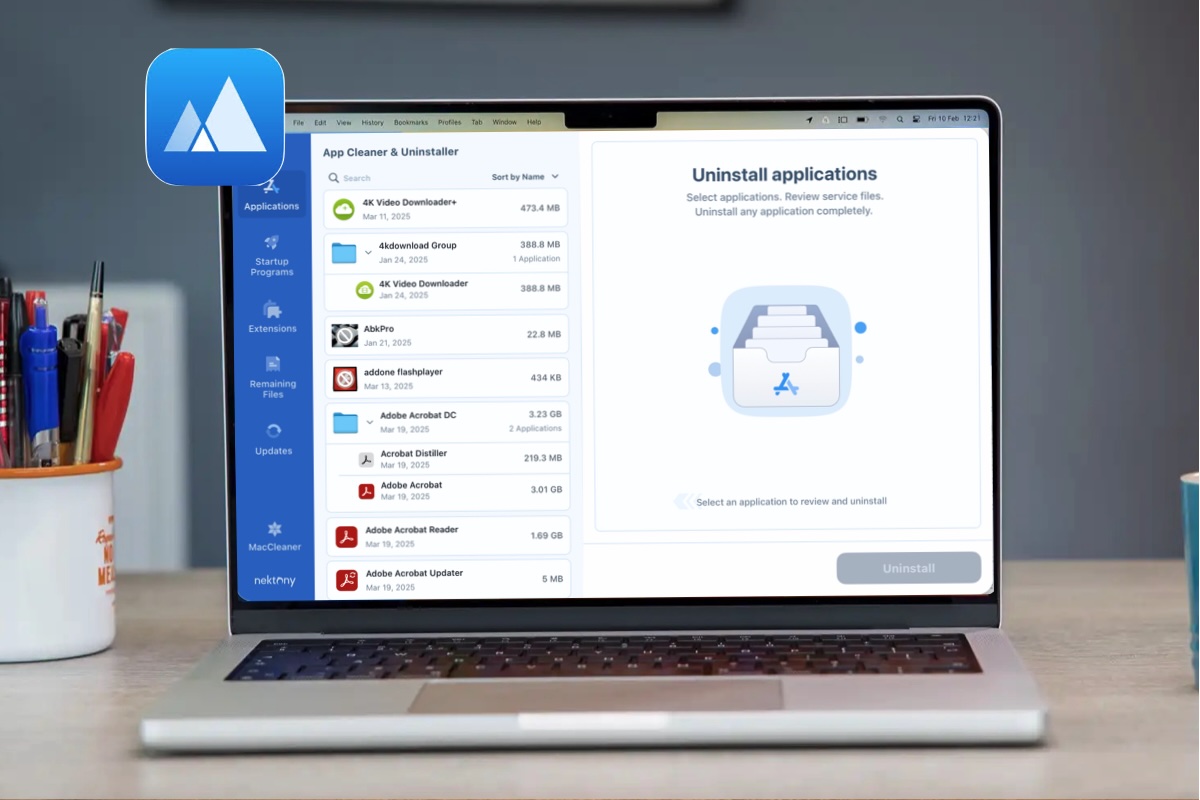
Now at version 9.0.3 as of this writing, App Cleaner & Uninstaller, which requires macOS 10.13 (High Sierra or later) to download and install, is available as a two-day free download. The software is easy to download, install, and assign full disk permissions to, and is centered around the Applications, Startup Programs, Extensions, Remaining Files, and Updates modules.
The Applications module shines as the centerpiece of the application. Once this is launched and the Applications have been indexed, it’s easy to hunt down random applications, including the remains of software wherein only the remnants have been left behind, and remove them with a click. The Applications module has received a fair amount of work since our 2025 review, and was able to snipe and remove several older applications that had been hanging around. If the feature couldn’t completely remove an application, it displayed an error message informing you as to which folder to go to in order to manually remove the files. While it’s seen some improvements, it could still use some work.
The Startup Programs excels, offering a convenient list of anything that qualifies as a startup application and grouping them into three categories (All Programs, Active, and Disabled), then allowing you to pick and choose what to remove as needed.
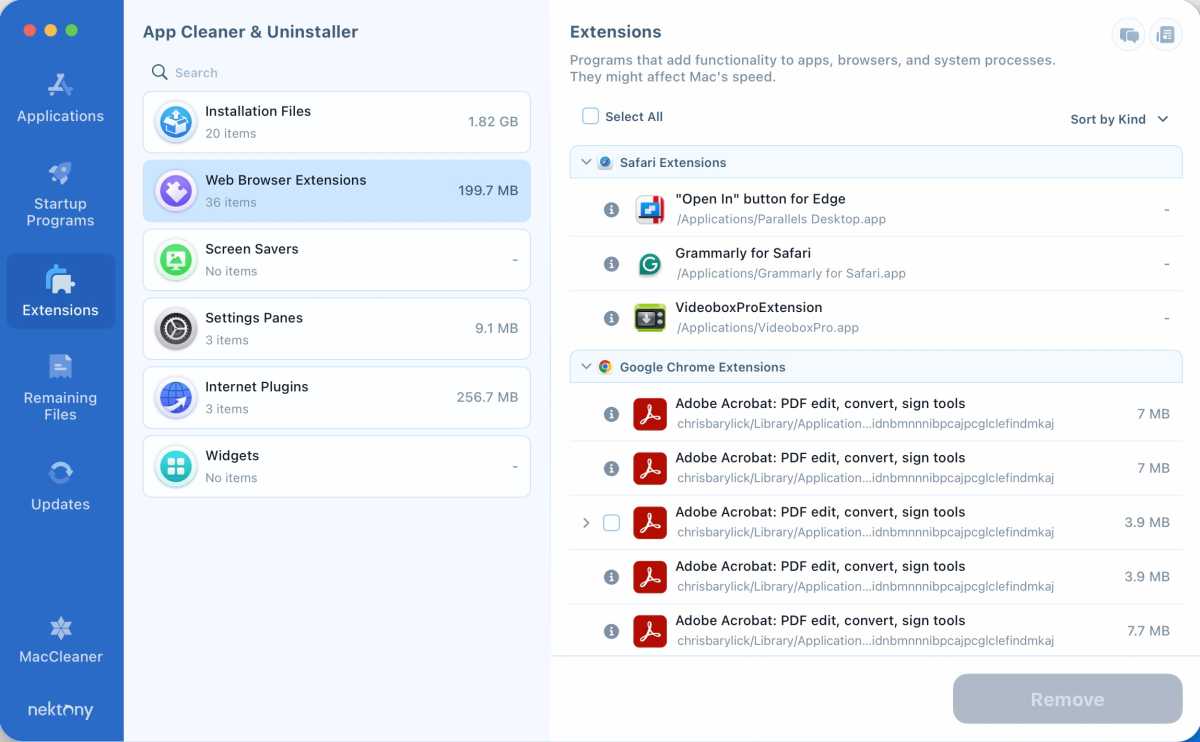
The Extensions module features useful categorization of your Mac’s extensions (Installation Files, Web Browser Extensions, Screen Savers, Settings Panes, Internet Plugins, and Widgets), and location and removal of a specific extension is pretty much a cinch.
Foundry
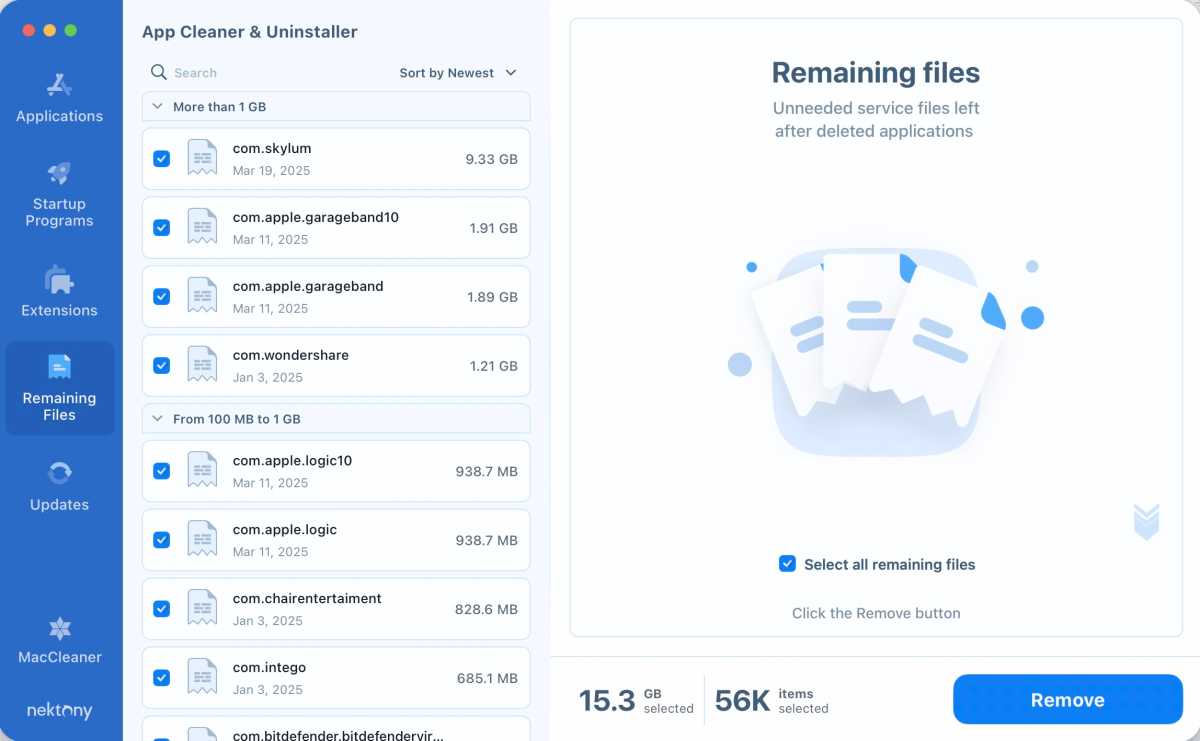
Since I looked at the software in early 2025, Nektony has done a fair amount of work on the Remaining Files and Updater modules, which we criticised back in 2025, especially the Remaining Files module which we felt was akin to trying to kill a housefly with a flamethrower as the module was going after critical system elements, without which your Mac’s overall functionality could be affected.
There’s good news and bad news here, as the Remaining Files module appears to have been fixed, the application doing a commendable job hunting down detritus and not shredding the macOS’ system components or functionality after removing applications. To Nektony’s credit, this module is now able to get rid of a ton of detritus that’s been left behind from where applications have been installed and deleted, including support files for malware that was deleted by macOS’ security, which is a nice feature.
Foundry
Back in 2025 the Updates module, though convenient and capable of finding an update to the Transmission peer-to-peer file-sharing application that I hadn’t known about, missed major updates such as ff-Works, Slack, Microsoft Office, and others that competing applications tend to find without missing a beat. The revised Updater feature caught a good number of updates (including a Microsoft Office update that had been tricky to install, and an Adobe Reader update, which removed the old version and installed the new version). It still missed several larger updates, though, including a World of Warcraft update, a Java update, a Minecraft update, a Dropbox update, a Kodi update, and others. While it caught updates for larger developers, it didn’t equate to the performance of dedicated applications like the MacUpdater.
We’re glad to see Nektony took our thoughts into account and spent some time improving the app, and as a result we have improved the score from 2025.
Should you buy Nektony’s App Cleaner & Uninstaller
Nektony’s App Cleaner and Uninstaller is worth a look, and its two-day free trial period is useful, if not as generous a trial period as some other applications. Still, the user interface is inviting and friendly, its functionality has improved, and there have been some nice updates worth your consideration.
MacCleaner and App Cleaner are both included in our round up of the Best Mac Cleaners, see how they compare to other Mac cleaning software.