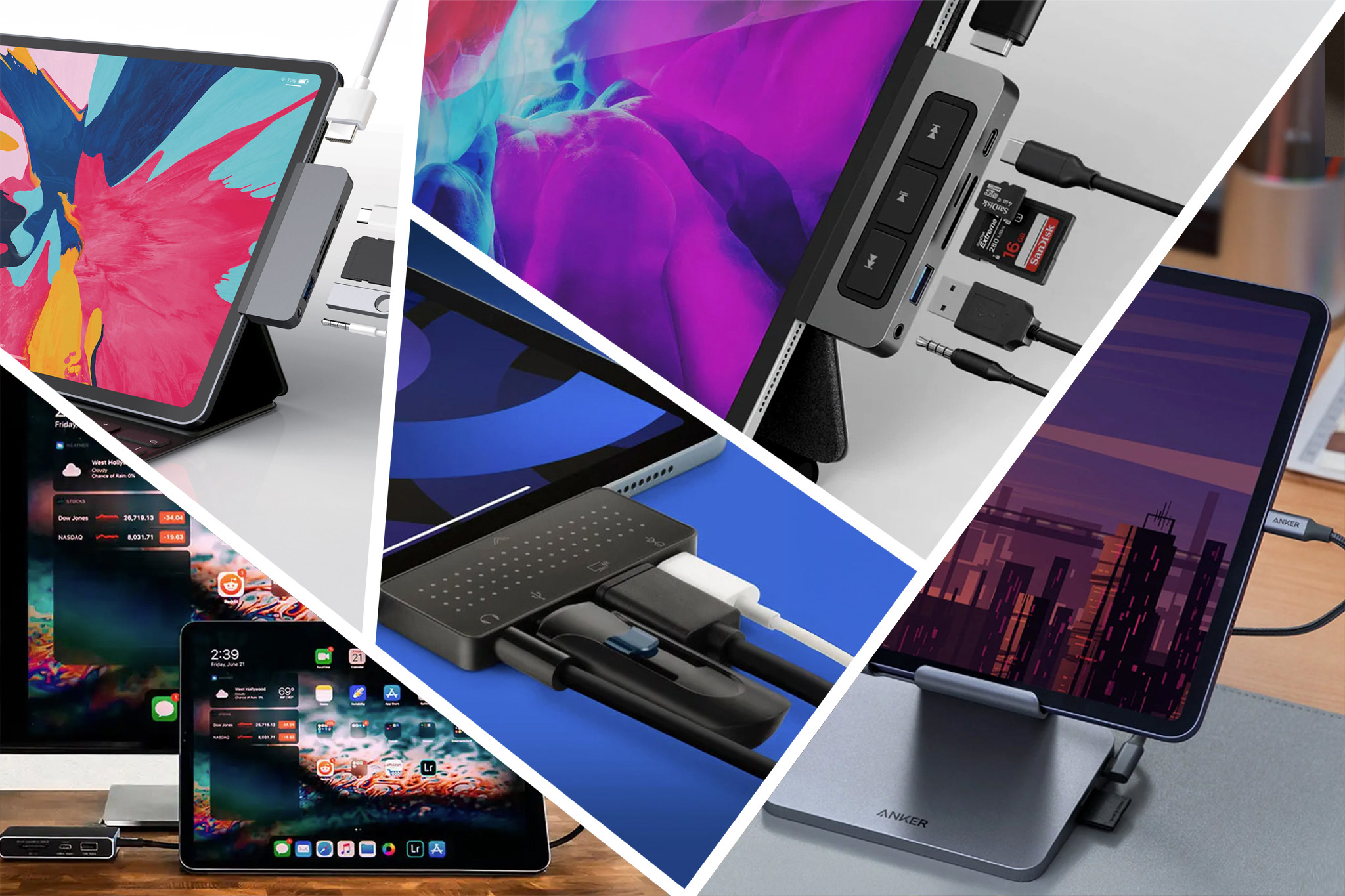
Apple’s iPads now all use the universal USB-C connector port rather than Apple’s old Lightning connector. The M-series iPad Pro models use the even more capable but identical-looking (and compatible to USB-C) Thunderbolt connection (USB4).
What many people don’t realise is that the USB-C port is good for more than charging or plugging in wired earbuds. Apple’s tablets can also be used with other peripherals that transform it into an even more versatile computer. As such, iPad owners have a wide range of USB-C accessories available to them unless their older iPad still uses the Lightning connector.
Some of the USB-C hubs connect directly into the iPad. Others require a cable connection; some come with both, which helps when the iPad is in a protective case. We have also included stands for iPads that include built-in multiport hubs. You can use most hubs—and elsewhere we’ve reviewed the best USB-C hubs for Mac—but we are these as especially suited to the iPad.
Best USB-C hubs and docks for iPad
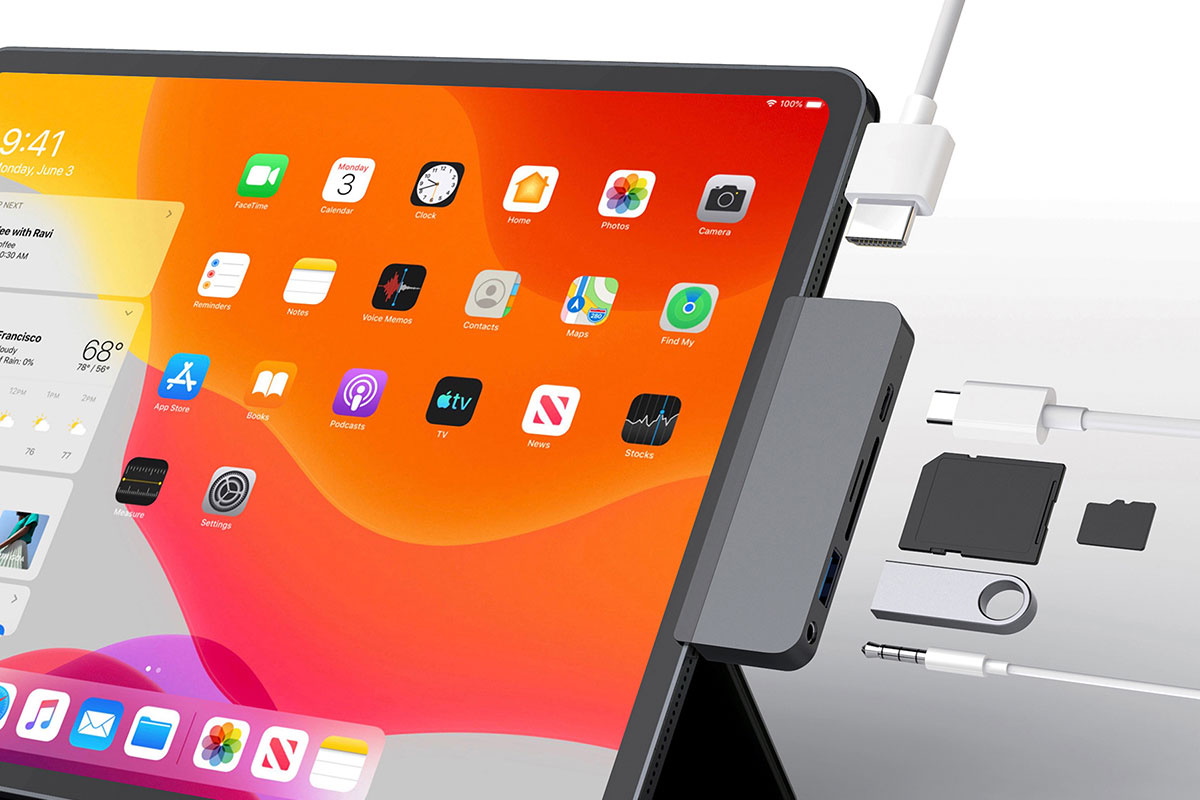
HyperDrive 6-in-1 USB-C Hub – Best overall USB-C hub for iPad
Pros
- 6 ports inc HDMI and SD/microSD
- 4K at 60Hz
- Direct fit to iPad
- 60W passthrough charging
Cons
- UHS-I card reader speed
Best Prices Today:

- Colors: Space Gray, Silver
- Ports: USB-C PD (5Gbps/60W), USB-A (5Gbps), HDMI, microSD and SD card readers, 3.5mm audio
- Compatible with: All USB-C iPads
Why we love it: The HDMI port means you can add an external display, and it can handle 4K displays at 60Hz, although that might be a push if you are using all the other ports at the same time.
This good-looking iPad-dedicated hub, with built-in USB-C connector, features a grip that secures it onto an iPad Pro without damaging the surface. However, you can remove the grip if you use a third-party iPad case. It connects direct to the iPad but handily also comes with a USB-C extender cable so you can use it as a USB-C hub for your MacBook or another USB-C device, too. It can charge a device at up to 60W.
It’s also lightweight at just 33g (1.16oz) and at 3.66 x 1.3 x 0.39 inches (9.3 x 3.3 x 1cm) it’s small enough to slip into a pocket.
If you don’t need the memory card readers, the $59.99 HyperDrive 4-in-1 USB-C Hub for iPad, available in either Silver or Space Gray, adds four ports: 4K 30Hz HDMI, 60W USB-C power delivery, 5Gbps USB-A, and 3.5mm audio jack. It weighs just 1.34oz (38g).
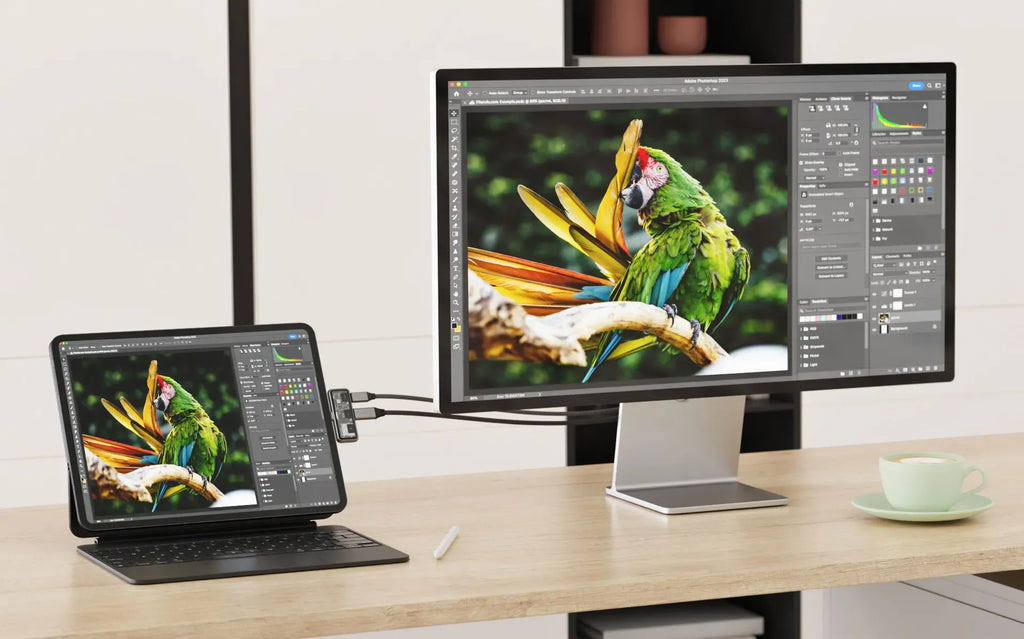
Satechi Mobile XR Hub with microSD Reader – Smallest USB-C hub
Pros
- 3 ports inc microSD
- Super small and lightweight
- 100W passthrough charging
- 4K at 60Hz
- Direct fit to iPad
Cons
- No USB-A
- UHS-I card reader speed
Best Prices Today:
- Colors: Transparent gray
- Ports: USB-C (to iPad), USB-C PD (100W), USB-C PD (10Gbps), microSD card reader (33MBps)
- Compatible with: All USB-C iPads
Why we love it: This is the smallest and lightest USB-C hub we tested weighing just 16g (0.57oz). Its dimensions are 2.42 x 0.93 x 0.35 inches (6.2 x 2.4 x 0.9cm) so It’s even smaller than the Twelve South StayGo mini and a few grams lighter.
This mini hub Is aimed at users with XR glasses but is just as able connected to your iPad to deliver up to 100W of passthrough power (35W for iPad) and a 10Gbps USB-C port that can link to a 4K display at 60Hz. The third port is a microSD card reader that, at 33MBps, is particularly slow but useful for uploading or off-loading photos and videos from the tablet.
There is no legacy USB-A port, so if that’s important to you keep looking at what the other reviewed iPad hubs offer.
There is an alternative version, the Satechi Mobile XR Hub with Audio, which swaps the card reader for an audio port.
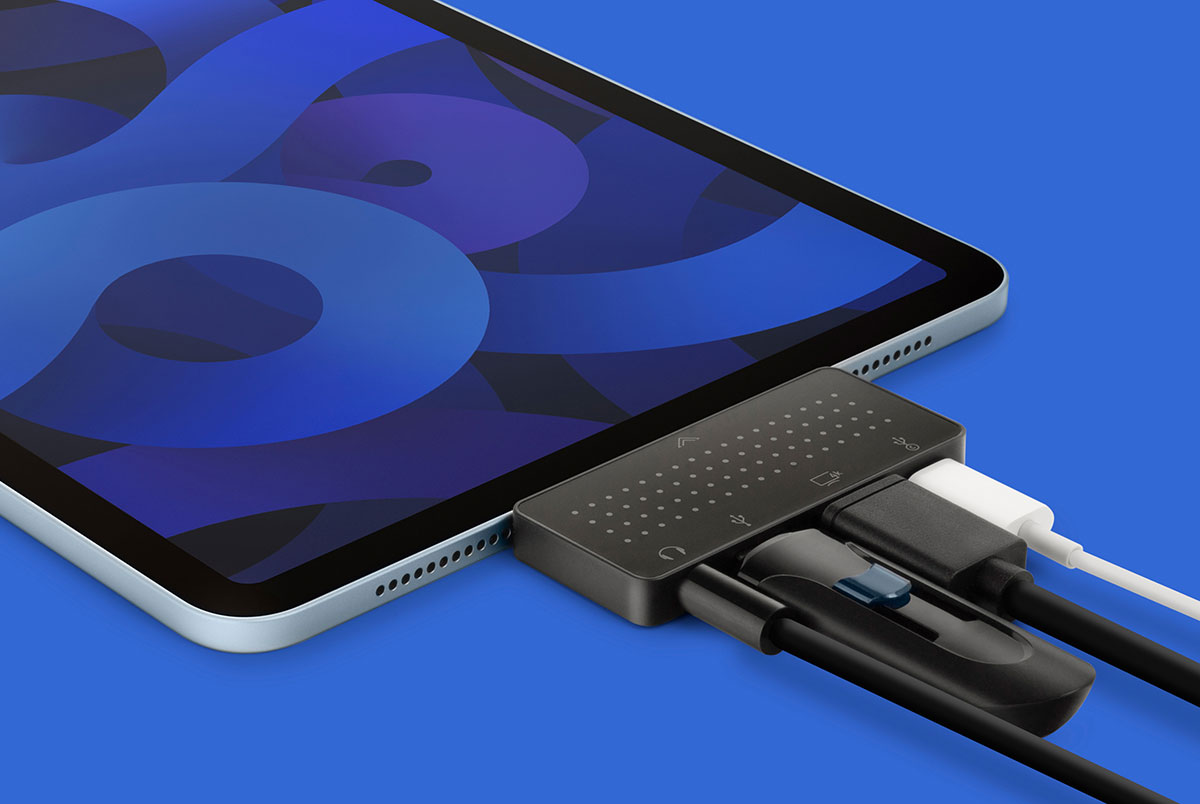
Twelve South StayGo mini – Smallest 4-port USB-C hub for iPad
Pros
- 4 ports inc HDMI
- Small and lightweight
- 85W passthrough charging
- Direct fit to iPad
Cons
- Slower USB-A
- 4K at 30Hz
- No card reader
Best Prices Today:
- Colors: Black
- Ports: USB-C (to iPad), USB-C PD (85W), USB-A (480Mbps, 7.5W), HDMI 2.0, Audio Out
- Compatible with: All USB-C iPads
Why we love it: This small hub can connect to your iPad (or MacBook) via either the integrated USB-C connector or a detachable cable (20in). The cable is useful if your iPad is in a protective case, and you could use your own longer cable if required. StayGo mini adds just four ports, but enough for you to attach an external display (4K at 30Hz), a USB-A device and headphones as well as powering your tablet or laptop at the same time–especially handy for tablets that have just the one port.
It weighs just 36g and measures 2.8 x 1.25 x 0.3 inches (7.2 x 3.2 x 0.8cm), making it one of the smallest USB-C iPad hubs we have tested—the Satechi Mobile XR Hub, reviewed above, is even tinier.
This hub—unlike the Satechi Mobile XR Hub—does host an old-school USB-A port. It’s USB 2.0, so limited to 480Mbps data transfer compared to the 5Gbps on offer on some of the other hubs reviewed here.
Twelve South seems to be discontinuing this product and it’s currently selling direct for under $10, so grab a bargain while you can.
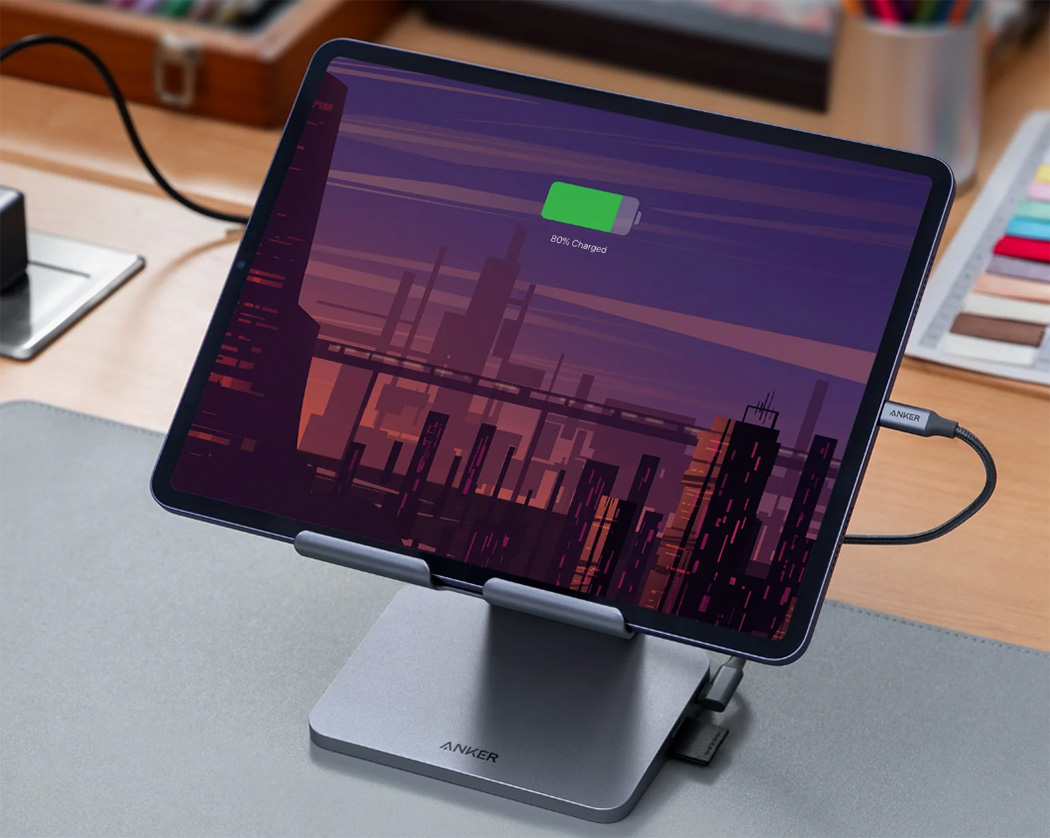
Anker 551 USB-C Hub 8-in-1 Tablet Stand – Best stand/dock for iPad
Pros
- 8 ports inc HDMI and SD/microSD
- 4K at 60Hz
- Built-in iPad stand
- Foldable
Cons
- UHS-I card reader speed
Best Prices Today:
- Colors: Space Gray
- Ports: USB-C (to iPad, 5Gbps), USB-C PD (100W), 2x USB-A (5Gbps), HDMI, SD and microSD card readers, 3.5mm audio
- Compatible with: All USB-C iPads
Why we love it: This ergonomic iPad accessory is both a USB-C dock and a convenient stand for up to a 12.9-inch iPad Pro.
It features a broad range of ports, including a 4K at 60Hz HDMI 2.0 port, two legacy USB-A ports, both SD and microSD card readers and a combination In/Out audio port. It connects to the iPad via its USB-C port, and an 18-inch (45cm) USB-C cable is included.
When folded it measures 5.6 x 5.5 x 1.1 inches (14.3 x 14.1 x 2.8cm) and weighs 23oz (650g). The iPad can be tilted on the stand for the best height and viewing angles.
iPadOS 16.1 or later is required for using Stage Manager to extend your laptop screen to the iPad.
Plugable USB-C Docking Station (UDS-7IN1) – Best budget stand/dock for iPad
Pros
- 8 ports inc HDMI and SD/microSD
- Light, portable stand
Cons
- Not height adjustable
- 4K at 30Hz
- UHS-I card reader speed
Price When Reviewed:
93,90 €
Best Prices Today:
- Colors: Space Gray
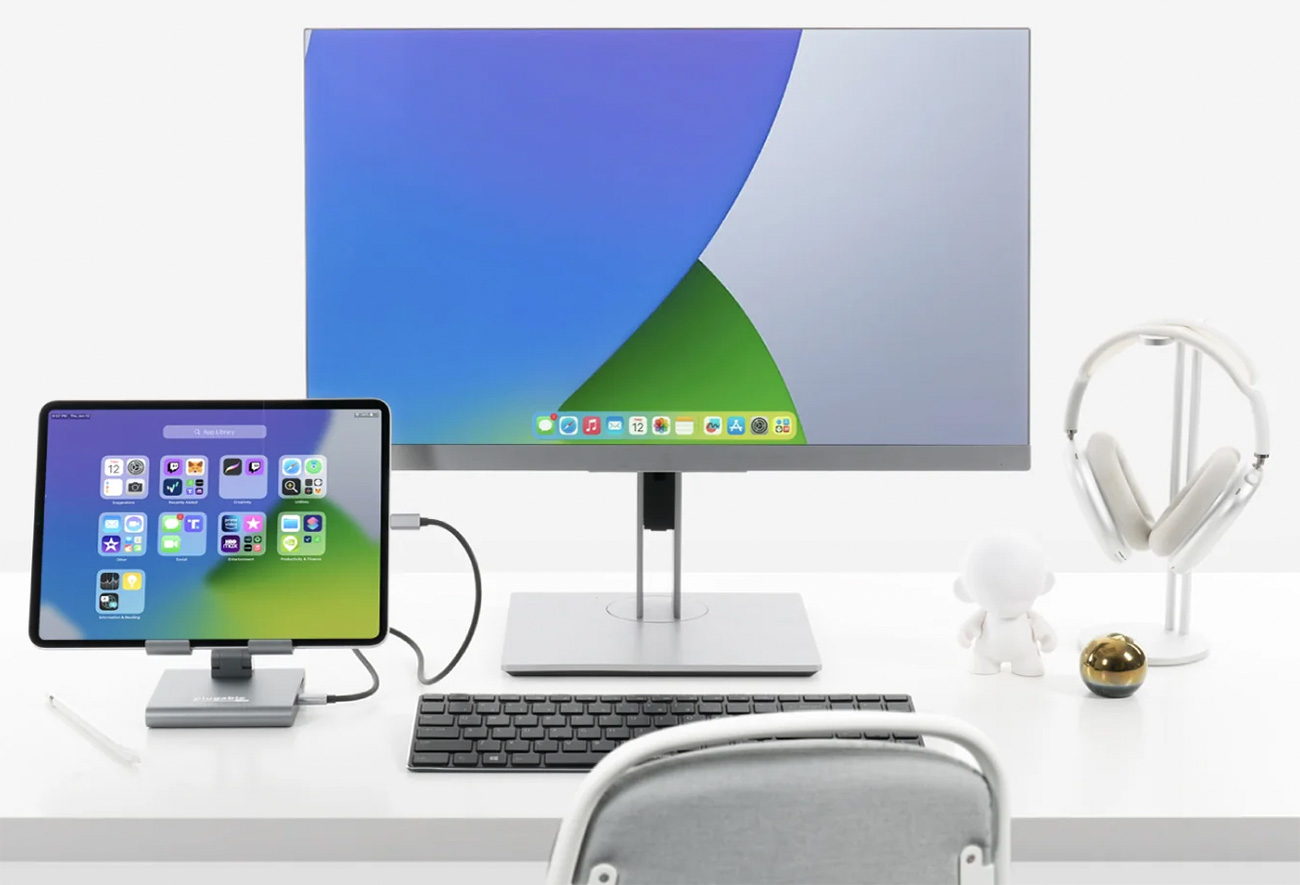
- Ports: USB-C (to iPad), USB-C PD (5Gbps/91W), 2x USB-A (5Gbps), HDMI, SD and microSD card readers, 3.5mm audio
- Compatible with: All USB-C iPads
Why we love it: Smaller than the Anker 551 Hub Stand, the diminutive Plugable USB-C Docking Station features two old-school USB-A ports, HDMI 1.4 port, both SD and microSD card readers and a combination In/Out audio port. It connects to the iPad via its USB-C port, and a 20-inch (50cm) USB-C cable is included.
At the back, alongside the HDMI port is another USB-C port that you can connect to a USB-C wall charger to allow up to 91W charging for the connected device—plenty for even the hungriest iPad. The USB-A ports aren’t really built for charging connected devices, so are limited to 4.5W charging.
With the HDMI 1.4 port you can connect a 4K external display at 30Hz. Gamers and streamers might prefer a hub with at least HDMI 2.0 to get smoother 60Hz screen refresh rates (so should consider the Anker 551 Hub/Stand reviewed above), but for general productivity usage 30Hz is perfectly acceptable. The Ugreen Steam Deck Dock, reviewed below, goes even further to 120Hz.
Made of aluminum, it’s light enough (10.7oz or 303g) to be carried around and it folds up for added portability points. Like the Anker Stand the tablet can be tilted on the stand for the best viewing angles.
HyperDrive 6-in-1 USB-C Media Hub for iPad Pro/Air – Best USB-C hub for media controls
Pros
- 6 ports inc HDMI and SD/microSD
- 4K at 60Hz
- Media controls
- Direct fit to iPad
Cons
- UHS-I card reader speed
Best Prices Today:
- Colors: Gray
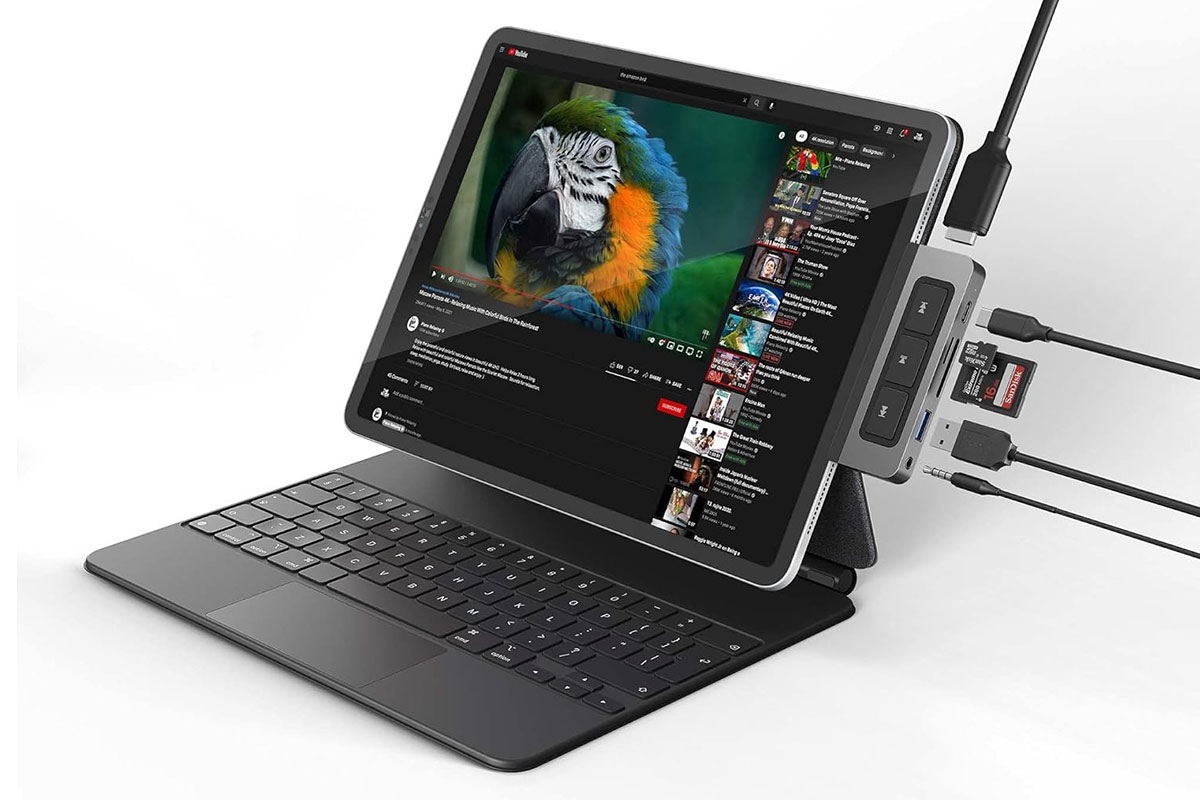
- Ports: USB-C (to iPad), USB-C PD (5Gbps/60W), one USB-A (5Gbps), one HDMI 2.0 port, UHS-I SD and microSD Card readers, 3.5mm audio, Play/Pause/Fast-forward/Rewind buttons
- Compatible with: All USB-C iPads
Why we love it: Alongside the handy extra ports, this mini hub adds a row of large Play/Pause/Fast-forward/Rewind buttons on the top for media control of your movies, songs or podcasts without interrupting your workflow.
We’ve seen faster ports on the other hubs reviewed here, but it’s the media buttons that make the difference here.
It can connect in a tight fit to the iPad or via a detachable longer 2in cable if you need the extra length.
At 3.85 x 1.14 x 0.47 inches (9.8 x 2.9 x 1.2cm), it’s a little longer than other iPad hubs tested here, but it’s lightweight at just 1.62oz (46g).
Ugreen Steam Deck Dock (6-in-1) – Best iPad USB-C hub for gamers
Pros
- 6 ports inc HDMI and Ethernet
- 4K at 120Hz
Cons
- No card reader
Best Prices Today:
- Colors: Gray
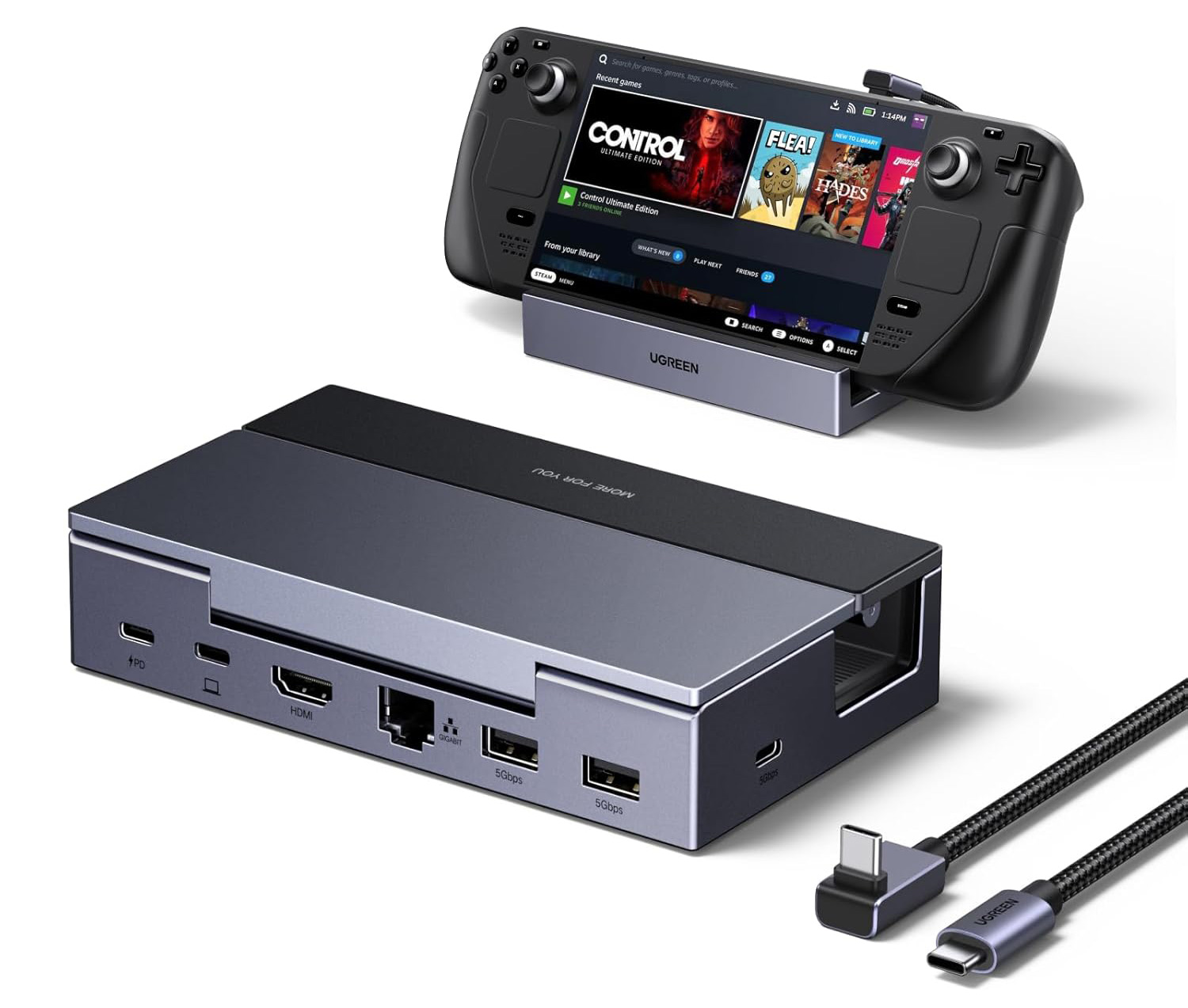
- Ports: Angled USB-C to iPad, one USB-C 85W PD, one USB-C (5Gbps), one HDMI, two USB-A (5Gbps), Gigabit Ethernet
- Compatible with: All USB-C iPads
Why we love it: Alongside the handy extra ports, this mini hub adds a row of large Play/Pause/Fast-forward/Rewind buttons on the top for media control of your movies, songs or podcasts without interrupting your workflow.
As its name (and picture above) suggests, this compact mini docking station is built for Steam Deck (OLED) gamers, but is equally adept when hooked up to an iPad. Its special power is its HDMI port that allows for connection to a 4K display at an impressive 120Hz screen refresh rate. VRR, FreeSync and G-Sync technologies provide a smoother gaming experience that eliminates screen tearing and stuttering.
It creates a foldable yet sturdy stand with adjustable angles up to 90 degrees, and measures 6.7-x-4.4-x-1.45 inches (17 x 11.2 x 3.7cm).
Satechi OntheGo 7-in-1 Multiport Adapter – Best magnetic iPad USB-C hub
Pros
- 9 ports inc HDMI and microSD
- 4K at 60Hz
- Magnetic attachment
Cons
- UHS-I card reader speed
Best Prices Today:
- Colors: Black
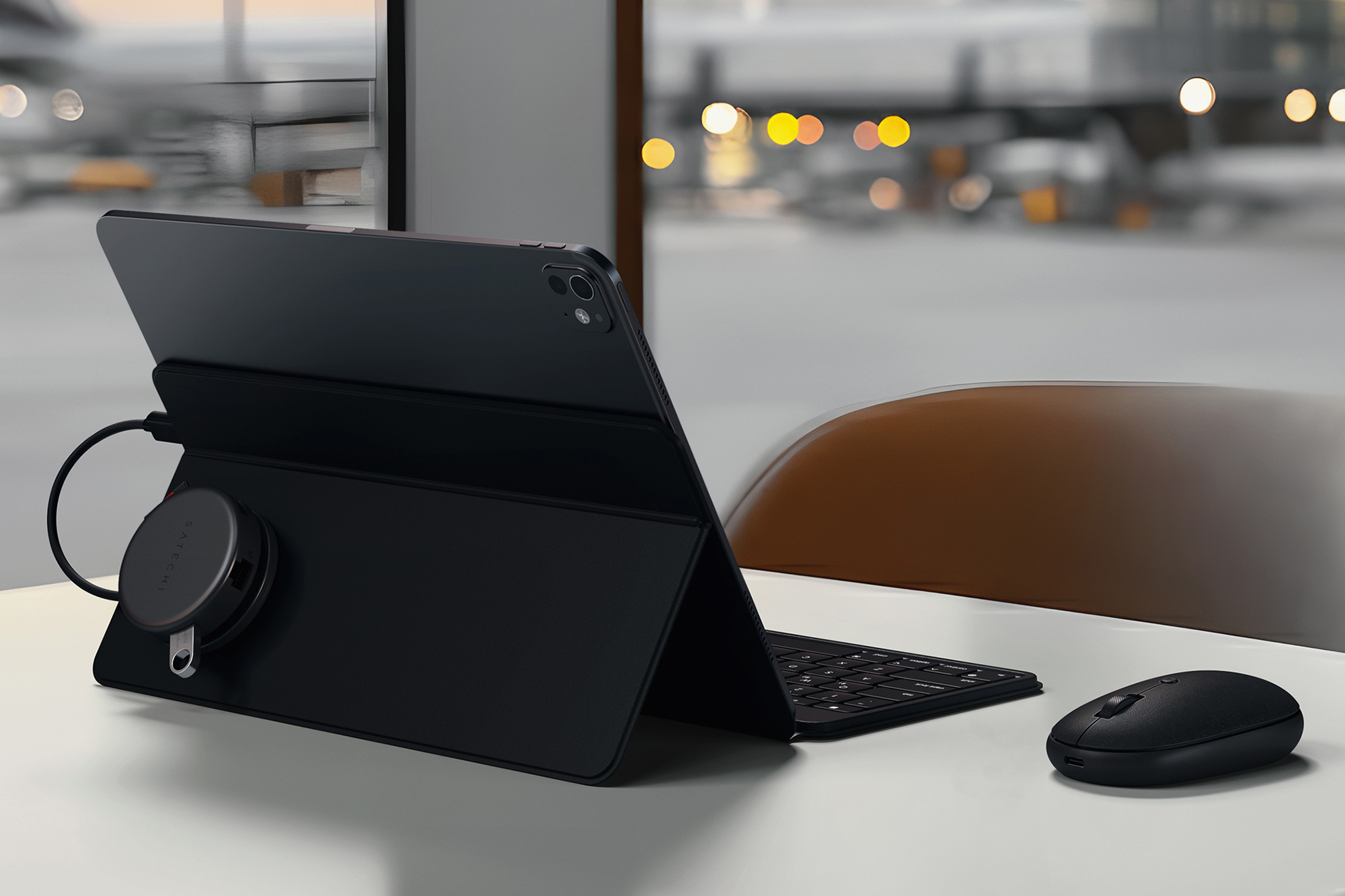
- Ports: USB-C (to iPad, 10GBps), USB-C PD (80W), two USB-A (5Gbps), one HDMI 2.0 port, microSD Card reader, Gigabit Ethernet
- Compatible with: All USB-C iPads
Why we love it: The OntheGo 7-in-1 Multiport Adapter is a neat solution that can clamp magnetically to your iPad. Attach the adhesive ring to the back of the iPad or iPad case to create a place where you won’t even see the hub while you work.
The round hub has a 2.55-inch (6.5cm) diameter and sits just over an inch tall (2.7cm). It weighs 2.4oz (68g).
We’ve seen faster ports on some of the other hubs reviewed here, we love that magnetic fit, and the HDMI supports full 4K at 60Hz.
Read our full
Satechi OntheGo 7-in-1 Multiport Adapter review
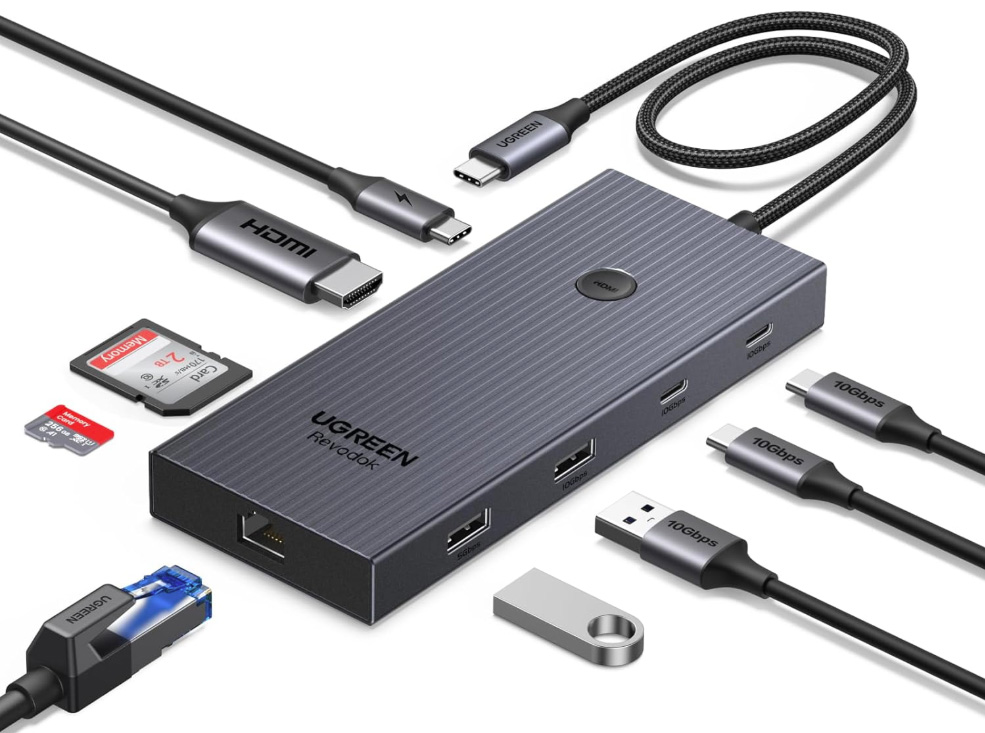
Ugreen Revodok Pro 109 USB-C Hub 9-in-1 – Best wired USB-C hub
Pros
- 9 ports inc HDMI, card readers, Ethernet
- 100W passthrough charging
- 4K at 60Hz
Best Prices Today:
- Colors: Space Gray
- Ports: USB-C cable (to iPad, 10Gbps), USB-C PD (100W), USB-A (10Gbps), USB-A (5Gbps), HDMI, SD/microSD Card readers, Gigabit Ethernet
- Compatible with: All USB-C iPads
Why we love it: There are many USB-C hubs that are built for laptops that work just as well with tablets. This wired USB-C hub has just about everything. Notably, its card readers are rated at 170MBps, which is faster than most that are limited to 104MBps.
We’ve picked the Ugreen Revodok Pro 109 out for its broad range of ports, but there are many to choose from, so choose from the wide range at Ugreen, Anker, Satechi, Plugable and Baseus to pick out one that offers all you need at the right price.
Connecting to the iPad via a built-in USB-C cable, this type of wired hub is a little less neat than those that plug directly into the iPad’s port, but they offer far more ports. The ribbed aluminum alloy Revodok Pro 109 measures 5.55 x 2.3 x 0.6 inches (14 x 6 x 1.6cm).
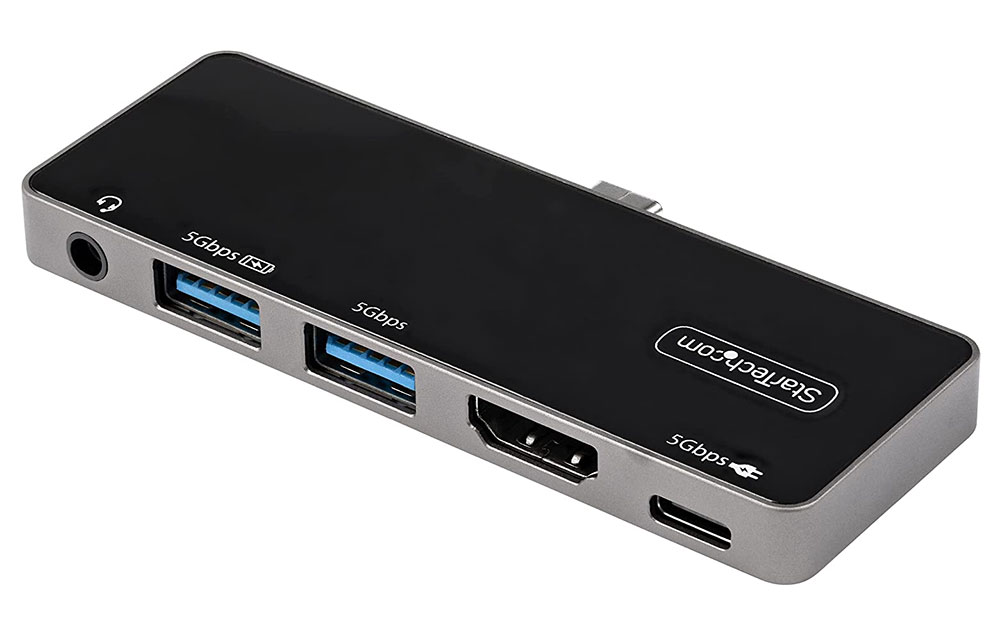
StarTech.com USB-C Multiport Adapter – Impressive passthrough charging
Pros
- 5 ports inc HDMI
- 92W passthrough charging
- 4K at 60Hz
- Direct fit to iPad
Cons
- No card reader
Best Prices Today:
- Colors: Space Gray, silver
- Ports: USB-C (to iPad), USB-C PD (5Gbps/92W), USB-A (5Gbps), USB-A (5Gbps, BC 1.2 Fast Charge), HDMI, 3.5mm audio
- Compatible with: All USB-C iPads
Why we love it: The 92W passthrough charging is impressive. Although this may be overkill when used with a tablet, it makes a big difference when you use it with a laptop. The HDMI port means you can add an external display, and it can handle 4K displays at 60Hz.
This compact hub, with built-in USB-C connector, is one of the lightest we have tested, at just 44g (1.5oz). It’s also small, at 3.5 x 1.3 x 0.3 inches (9 x 3.2 x 0.9cm). As well as the HDMI and audio port, it features two USB-A ports, one for data (5Gbps) and one for fast charging (7.5W).
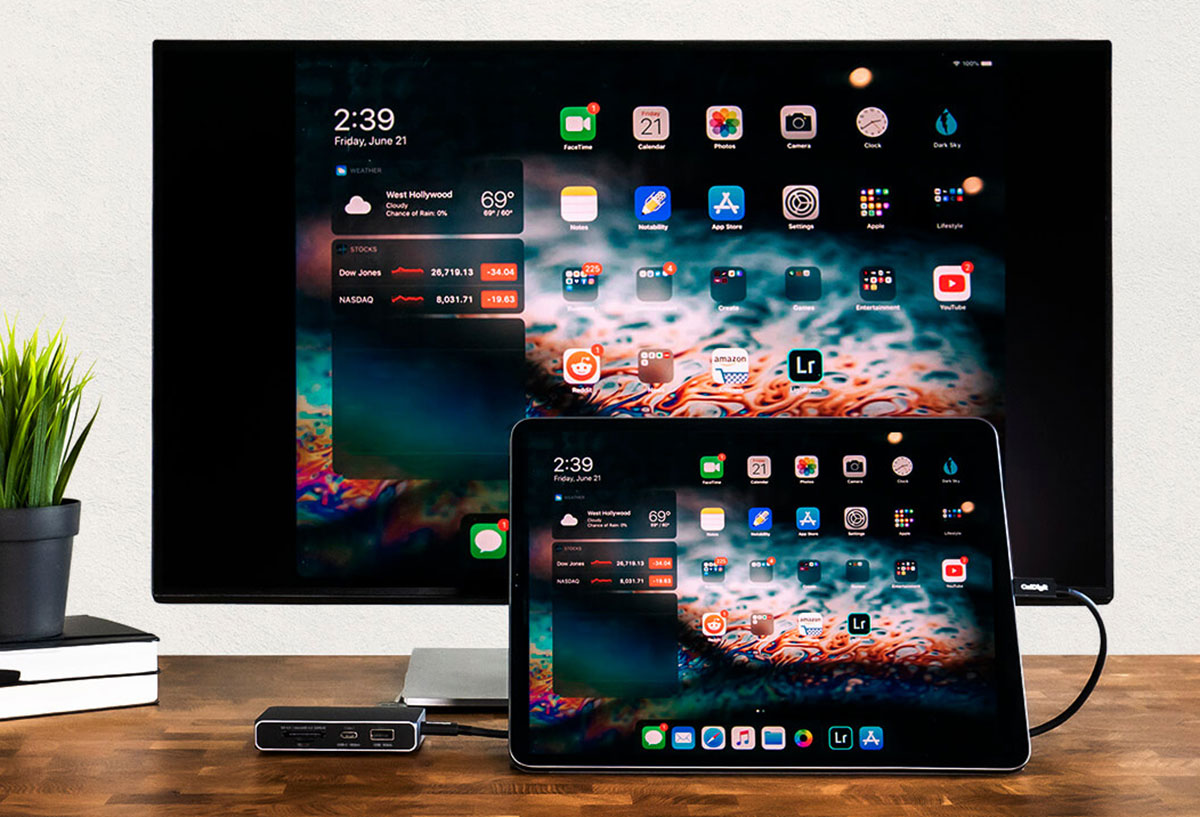
Caldigit USB-C SOHO Dock – Best USB-C dock for video ports
Pros
- 7 ports inc HDMI, DisplayPort and SD/microSD
- Fast 10Gbps USB-C ports
- 4K at 60Hz
- Small for a dock
Cons
- Large for an iPad hub
Price When Reviewed:
€109.99
Best Prices Today:
- Colors: Silver
- Ports: USB-C (to iPad), USB-C (10Gbps), USB-C PD (10Gbps/100W), USB-A (10Gbps), DisplayPort 1.4, HDMI 2.0, UHS-II SD and microSD
- Compatible with: All USB-C iPads
Why we love it: Coming with a separate USB-C cable, this aluminium mini dock has the highest-spec ports.
Although pretty small (3.66 x 2.53 x 0.75 inches or 9.3 x 6.4 x 1.9cm) for a docking station, it’s larger than the dedicated iPad hubs tested here, so there’s space for both DisplayPort and HDMI ports so you can choose your preferred connection to add an external display to the iPad.
As the cable is detachable, you can use your own longer cable if necessary, but you’ll need one rated to handle 10Gbps. And because of the high bandwidth, the dock can easily handle a 4K display at 60Hz, even with other ports in use.
Read the full Caldigit SOHO Dock review.
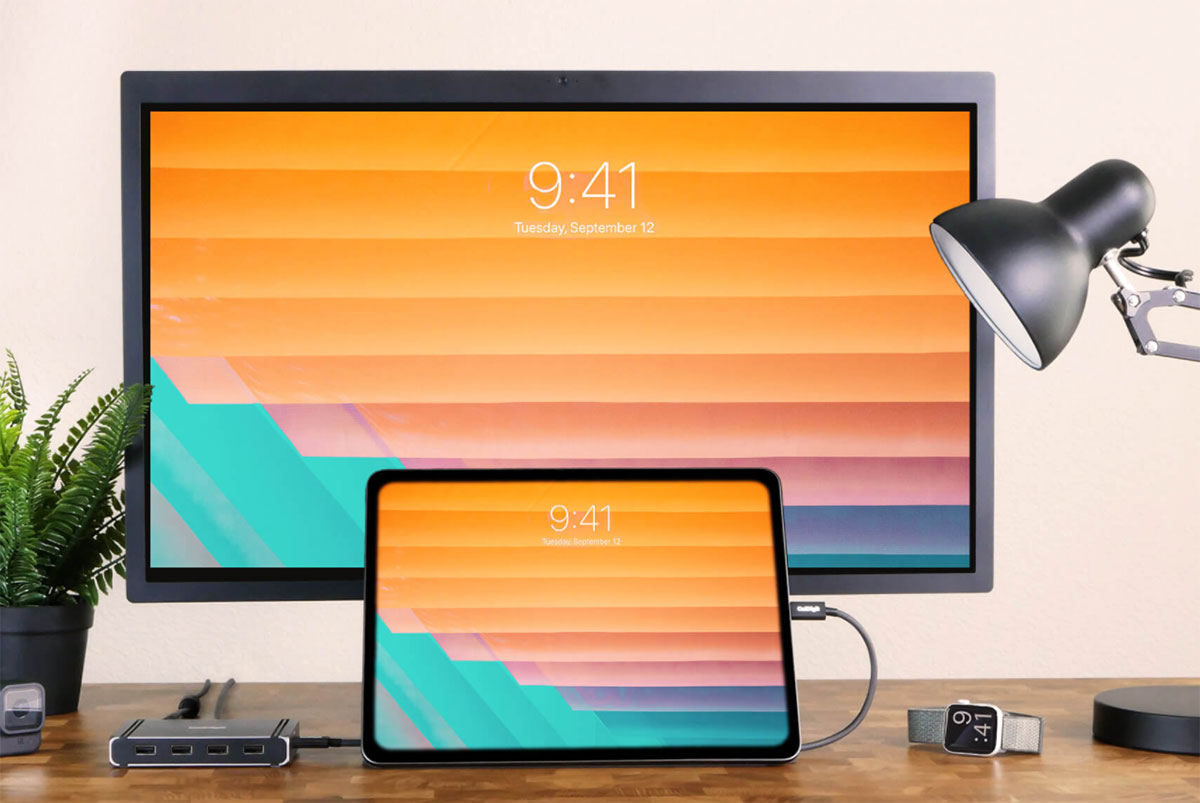
CalDigit Thunderbolt 4 Element Hub – Best Thunderbolt 4 hub for multiple USB devices
Pros
- Four 40Gbps Thunderbolt 4 ports
- Four fast USB-A ports
- 5K at 60Hz
- Multiple external displays
Cons
- No card reader
- Large for an iPad hub
Price When Reviewed:
Dès 212,33 €

- Colors: Space Gray
- Ports: Upstream Thunderbolt 4 (to iPad; 60W PD), three downstream Thunderbolt (40Gbps, 15W), four USB-A (10Gbps, 7.5W)
- Compatible with: All USB-C iPads
Why we love it: Apple’s iPad Pro (2021) models use 40Gbps Thunderbolt rather than 5Gbps USB-C, so to gain that full bandwidth a Thunderbolt hub is the best you can get.
This is a hub that you can also use for high 40Gbps MacBook bandwidth as well as with your iPad Pro. For maximum Mac bandwidth look to the $249 CalDigit Element 5 Hub that operates at up to 120Gbps, but you’ll pay a premium that maybe be overkill for an iPad user.
Choosing a hub or dock with a Thunderbolt connection standard makes perfect sense as it is backwards compatible with USB-C and so will work with any USB-C iPad too.
You won’t find more modern USB ports on a hub than on the later Element 5 Hub that has three downstream TB5 ports, two 10Gbps USB-C and three 10Gbps USB-A ports, but the Thunderbolt 4 model’s three downstream TB4 and four 10Gbps USB-A offer a lot of extension opportunities.
Both are larger than other dedicated iPad hubs. The TB4 model measures 4.48-x-2.74-x-0.7in (11.4-x-7-1.8cm) and weighs 6.2oz (180g), while the TB5 model is 4.5 x 2.75 x 1 inches (11.4 x 7 x 2.5cm) and 7oz (200g).
Recommended if you require multiple devices to connect to your iPad, and if you use it with a MacBook, too.
Read the Caldigit Thunderbolt 4 Element Hub review and CalDigit Element 5 Hub review.
Satechi Mini NVMe SSD Enclosure – Speedy USB-C NVMe enclosure
Pros
- 10Gbps NVMe enclosure
- USB-C cable lanyard
Cons
- No extra ports
Best Prices Today:
- Colors: Gray
- Ports: 10Gbps USB-C to iPad, NVMe solid-state drive enclosure
- Compatible with: All USB-C iPads
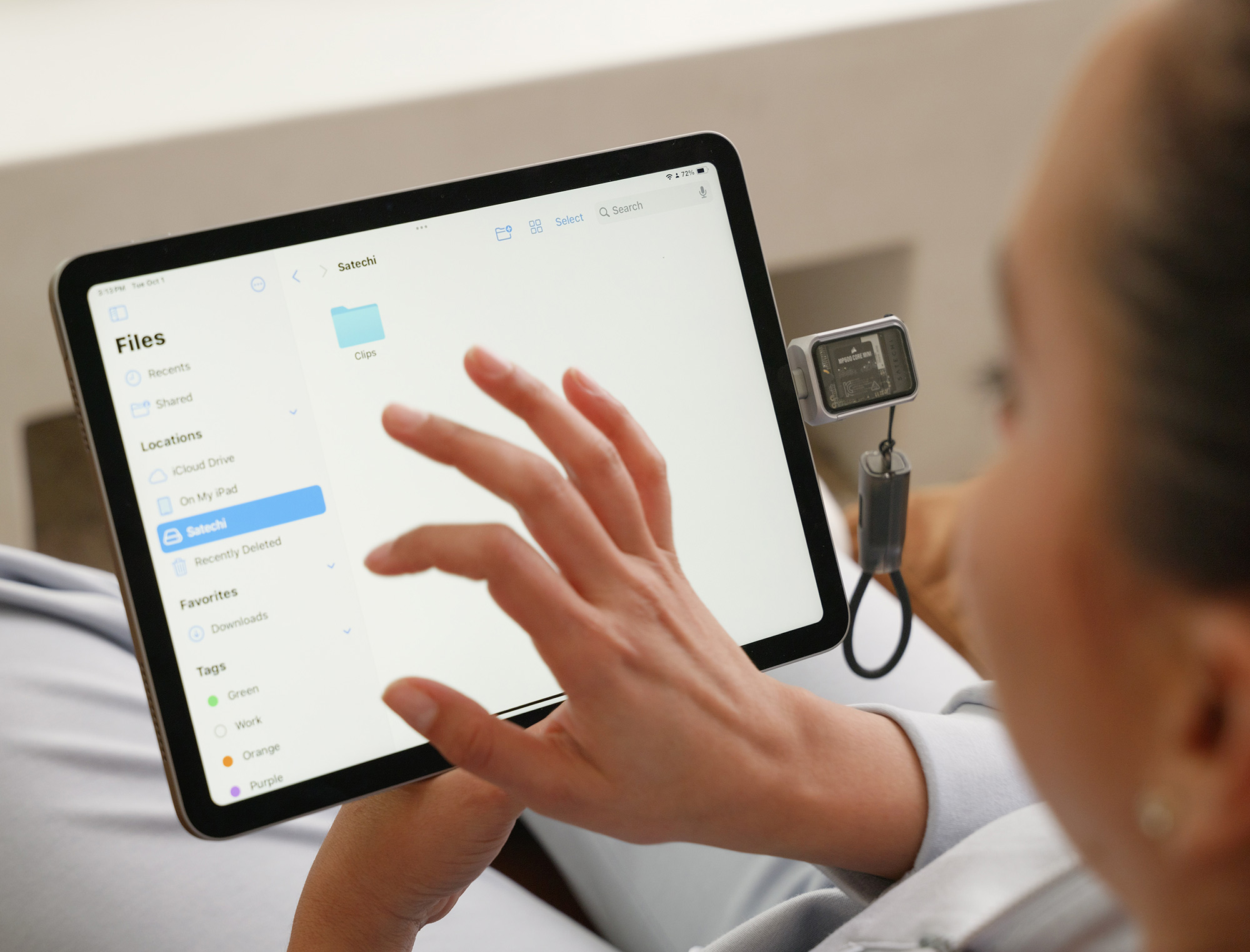
While not a hub, we love this dinky but high-speed SSD enclosure that can host interchangeable storage with tool-free installation, which makes it easy to switch between multiple SSDs. It includes a lanyard USB-C cable so you shouldn’t need additional cables when traveling.
The enclosure supports 2230mm NVMe SSDs with speeds up to 10Gbps—Satechi claims this can transfer 3,000 high-res images in under a minute. A write lock switch protects files from accidental changes and malware.
It supports Apple’s high-quality ProRes Log video format on iPhone 15 Pro and later, although you’ll need extra software to use it with the iPad’s camera.
Choosing a USB-C hub
With a hub you can add extra USB ports (Type-C and the older Type-A), storage card readers, ethernet networking, wired headphones, cameras, keyboards, and more. You can also connect your USB-C or thunderbolt iPad to your computer or to an external display using a hub’s USB-C, HDMI, DisplayPort outputs. The latest iPad Pro models (with Thunderbolt/USB4) can even connect to Apple’s Pro Display XDR display.
Some USB-C hubs are specially designed for the iPad (and fit neatly without the need for a long cable connection), but you can also use an array of generic USB-C hubs. And you can take it one step further with a full docking station that can also work with your laptop. Depending on which model you buy, a hub or dock connects to the iPad and offers an array of extra ports.
USB-C
Whatever hub you buy will use up the iPad’s sole port, so, unless it’s for short-term usage, you’ll need at least one extra USB-C port on the hub for pass-through charging, as you don’t want your tablet’s battery to fade mid use. Make sure at least one of the hub’s USB-C ports is capable of Power Delivery (PD) for charging. And look for high charging power if there is a maximum wattage on the hub. The iPad requires at least a 20W charger for fast charging, which all the hubs can handle but a more powerful charger may enable speeds up to 30W. The iPad Pro requires at least 60W for fast charging.
More USB-C ports on the hub mean you can use them for more modern peripherals and an external display that connects via a USB-C cable. The minimum data-transfer bandwidth of USB-C is 5Gbps, so this is the most common speed on hubs, but some offer 10Gbps that is more capable for things like connecting an external monitor.
In Apple’s latest iPad line-up, the iPad mini has a 10Gbps USB-C port, while the standard iPad has a USB-C port with a much slower USB 2 data-transfer rate of just 480Mbps. The iPad Air has 10Gbps bandwidth, and the iPad Pro uses 40Gbps Thunderbolt, see below.
Thunderbolt
The M1/M2/M4/M5 iPad Pro boasts the more capable Thunderbolt connection. It uses the USB-C connector, but Thunderbolt has bandwidth up to 40Gbps compared to just 5Gbps or 10Gbps for USB. Thunderbolt hubs and docks are more expensive than their simpler USB-C cousins, but power users will benefit from the extra bandwidth.
For example, a Thunderbolt hub or dock can use this bandwidth to connect a 4K display running at 60Hz and still have data-transfer capacity for other devices such as hard drives.
USB-A
Universal and reversible, USB-C is a great connector, but most of us still have a few devices that connect via the more common Type-A USB port, such as flash memory sticks, hard drives, and input devices. USB-A ports are used mainly for lower-powered devices, but the ports do come in different speeds. USB 2.0 is the slowest at 480Mbps. USB 3.2 Gen 1 is rated at 5Gbps and USB 3.2 Gen 2 is 10Gbps. Some hubs boast multiple legacy USB-A ports, so consider how many you might need to use at the same time.
SD and microSD Card readers
You can connect a camera or a card reader directly to the iPad’s USB-C port, but a more flexible option is to use a hub with either an SD or microSD Card reader, and many hubs have both. These tiny memory cards are also an inexpensive portable storage and backup solution, with capacities of up to 1TB. Look for the faster UHS-II type reader, which can handle up to 312MBps data transfer, compared to UHS-I’s maximum 104MBps. The slower variety is more common on the iPad hubs reviewed above. For more options, take a look at the best USB-C hubs for Mac that will also work with your iPad.
Gigabit ethernet
Wired internet or network access is much faster than WiFi, so if you’re using your iPad at a desk, consider a hub with an ethernet port. Otherwise, you’ll need to use a USB-C-to-ethernet adapter that plugs directly into your iPad.
Audio
If you want to hook up some wired headphones or a microphone, look for a hub with 3.5mm audio jack port since none of Apple’s current iPad range has one. Some older iPads have an audio port.
External displays
A hub is basically essential when using an external display because the iPad has just one USB-C port and you can’t simultaneously charge the tablet at the same time. So, you’ll want to look for a hub with either two USB-C ports (one for charging, one for video) or a hub with an HDMI or DisplayPort (or even VGA if you have an older display).
For general productivity purposes, 30Hz screen rates are acceptable for 4K monitors, but 60Hz or 120Hz is better for gaming or action-graphics video. Depending on the cable, you might get varied refresh rates. It’s a little confusing, but for the most part, 5Gbps USB-C is mostly limited to 30Hz (but can be pushed to 60Hz if the bandwidth is not taken up by the other ports), a 10Gbps USB-C connection should allow 60Hz 4K, and Thunderbolt will easily push 6K displays with high refresh rates.